

/PairaVoice-Start-A-Conversation-nobg-md.png?width=200&height=300&name=PairaVoice-Start-A-Conversation-nobg-md.png)
















.png)

.png)

 ChatGPT
 Google AI
 Perplexity
 Claude
 Grok
GrokSearching for an AI note-taking app quickly produces a long list of tools that appear to do the same thing. Look closer, and the differences are substantial. Some are designed for scheduled video calls, while others work better in classrooms, clinics or face-to-face conversations.
This guide compares leading AI note-taking apps based on those practical differences. It covers general meeting assistants, multilingual tools, dedicated recording devices and clinical documentation platforms, so you can identify which type of app fits your work.
Top recommendations
Here is the short version of our findings:
- PairaVoice: Our top choice for secure multilingual note-taking in healthcare and education
- Otter.ai: A strong fit for teams that need searchable notes from recurring meetings
- Notta: Handles multilingual transcription of uploaded audio and video particularly well
- PLAUD: A practical option for anyone who prefers a wearable or pocket-sized recorder
- Heidi: Designed to create clinical documentation tailored to different specialties
- Abridge: Built for health systems that need clinical notes integrated with EHR workflows
- Fireflies.ai: Particularly useful for sending meeting information to CRMs and other business tools
- Fathom: Offers straightforward meeting summaries and a generous free plan for individuals
- Granola: Refines your own meeting notes without adding a visible bot to the call
- Happy Scribe: Stands out for its extensive transcription language coverage
- JotMe: Suited to online meetings that require live translation
- Transkriptor: Supports bot-free transcription across meetings and uploaded recordings in many languages
These recommendations reflect different note-taking needs rather than a single overall ranking. Otter.ai and Fireflies.ai focus on scheduled online meetings, while PLAUD offers a hands-free way to capture conversations with a dedicated device. Heidi and Abridge specialize in clinical documentation. PairaVoice is designed for situations where multilingual communication and secure note-taking need to happen within the same healthcare or education workflow.
What we looked for in each app
We evaluated each app according to the work it is designed to handle, not simply the number of features listed on its website. Most established tools can now record speech, generate a transcript and produce a summary. Those baseline functions reveal little about which app will work best in a particular environment.
The comparison therefore focuses on the following criteria:
- Capture options: Whether the app handles virtual meetings, in-person conversations, uploaded recordings or several of these formats.
- Note quality and structure: How the app turns a transcript into useful documentation, such as decisions, clinical notes or user-defined summaries.
- Language capabilities: The number of supported languages and whether the tool provides transcription only, post-conversation translation or live translation.
- Workflow fit: Whether the product is intended for general meetings, healthcare documentation, education, multilingual communication or personal note-taking.
- Meeting experience: Whether a visible bot joins the call or the app can capture audio directly from a device.
- Search and follow-up: How easily users can retrieve previous conversations and move information into other systems.
- Privacy and administrative controls: The security information and compliance support made available for professional or regulated use.
- Practical limitations: Restrictions involving platforms, recording minutes, hardware requirements or features reserved for paid plans.
We treated vendor accuracy percentages cautiously because testing conditions differ and the figures are rarely comparable. We also did not assume that support for more languages automatically produces better notes. Audio quality, speaker overlap and specialist terminology can affect the result regardless of the app selected.
The result is a use-case-based comparison. PairaVoice is evaluated most strongly where its combination of live translation, mobile note-taking and HIPAA- and FERPA-oriented workflows is relevant. Dedicated meeting platforms receive more credit for integrations and team-wide meeting management, while clinical systems are assessed according to their documentation and EHR capabilities.
Product features and pricing were checked against publicly available vendor information in July 2026.
Comparison table of the best AI note-taking apps
|
App |
Best for |
Features |
Main drawback |
Pricing |
|
Secure, multilingual notes and professional conversations |
Combines transcription, live voice translation, saved notes and automatic SOAP notes in Pro. |
Newer app with less public brand recognition than established meeting tools |
From $2.99/mo; Pro $9.99/mo |
|
|
Familiar, general-purpose meeting transcription |
Provides real-time transcription, AI summaries, searchable notes and support for major meeting platforms. |
Primarily designed around meetings rather than live multilingual conversations or specialized professional documentation |
Free plan; |
|
|
Importing and transcribing recordings in multiple formats |
Transcribes meetings and uploaded recordings, with AI summaries and multilingual features. |
Its workflow is primarily transcript-first rather than designed for natural, two-way face-to-face conversations |
Free plan + Pro from ≈ $8.17/mo, billed annually |
|
|
Users who prefer a dedicated recording device |
Records conversations and calls with portable hardware, then generates transcripts and summaries. Healthcare options are available. |
Requires the purchase and management of a separate physical device |
Hardware from approximately $159 + free and paid AI plans |
|
|
Drafting documentation from patient consultations |
Turns clinical conversations into structured draft notes using standard or customizable templates. |
Highly specialized for clinical documentation and less useful for education, general business, or multilingual conversations |
Free plan + paid |
|
|
Large health systems requiring EHR integration |
Creates structured clinical notes and integrates them into enterprise EHR workflows. |
Designed primarily for enterprise healthcare deployments rather than individual professionals or small organizations |
Custom enterprise pricing |
|
|
Sales and team-meeting integrations |
Transcribes meetings, creates searchable summaries and connects meeting data with CRM and workplace tools. |
Advanced AI actions may require additional usage credits, and its strongest workflows are centered on internal and customer meetings |
Free; Pro from $10/user/mo billed annually; higher business and enterprise tiers |
|
|
Automated summaries of virtual meetings |
Records and summarizes virtual meetings, with action items, AI search and CRM integrations. |
Best suited to scheduled online meetings rather than mobile note capture or in-person multilingual interactions |
Free plan + paid individual and team plans from $15/user/month |
|
|
Bot-free desktop meeting notes |
Captures meetings without a visible bot and turns the user’s notes into editable summaries. |
Focused on desktop meeting productivity, with less emphasis on mobile fieldwork and structured professional documentation |
Free plan, business for $14/user/month, and enterprise for $35/user/month |
|
|
Media transcription, subtitles, and captions |
Transcribes and translates media, creates subtitles and offers optional human review. |
Broader media-production focus makes it less streamlined for everyday professional note-taking |
Free to start + subscriptions from $8.50/month |
|
|
Live translation within virtual meeting platforms |
Provides bot-free translation, transcription and cross-language notes across major meeting platforms. |
More focused on computer-based meetings and events than secure, mobile, face-to-face professional workflows |
Free plan + paid plans from $10/mo |
|
|
Transcribing previously recorded audio and video |
Converts meetings and recordings into editable transcripts and summaries in more than 100 languages. |
Broader transcription platform that offers less specialization for regulated conversations and structured professional notes |
Free trial + paid plans from $8.33/month |
Pricing shown in USD and checked in July 2026. Monthly equivalents may require annual billing. Features and prices
Ranking the best AI note-taking apps
The apps below are reviewed according to the situations in which they are most useful. We examine each tool’s core features and practical limitations before identifying who should consider it.
PairaVoice
/PairaVoice-Phone-Screen.png?width=370&height=246&name=PairaVoice-Phone-Screen.png)
PairaVoice brings AI note-taking and real-time voice translation into the same mobile workflow. Users can transcribe conversations without translation or select from 20+ supported languages when participants do not share the same language.
This makes it particularly relevant to healthcare and education, where staff may need to understand a conversation and document it securely. PairaVoice Pro adds saved, searchable transcripts and automatic SOAP notes. It also supports HIPAA-compliant and FERPA-aligned workflows, distinguishing it from general meeting assistants that are not designed around sensitive patient or student conversations.
Features:
- Real-time voice translation across 20+ languages
- Standalone transcription for meetings, lectures and voice notes
- Automatic SOAP note generation with PairaVoice Pro
- Saved and searchable conversation transcripts
- Streaming mode for immediate translation and batch mode for higher accuracy
- Single-device and dual-device conversation modes
- Optional background noise cancellation
- Hands-free use with compatible earbuds
- HIPAA-compliant and FERPA-aligned workflows with PairaVoice Pro
- First five conversations available for free
|
Pros |
Cons |
|
Combines live translation and note-taking in one mobile app |
Supports fewer languages than some dedicated transcription platforms |
|
Designed for sensitive healthcare and education conversations |
Does not offer the same range of meeting-platform and CRM integrations as established meeting assistants |
|
Can generate structured SOAP notes from conversations |
Not a full clinical documentation platform with direct EHR integration |
|
Supports in-person conversations without requiring a meeting bot |
Specialized focus may be unnecessary for users who only need basic meeting summaries |
Best choice if:
You need to translate and document multilingual conversations securely in a healthcare or education setting.
Otter.ai
Otter.ai, Source: https://otter.ai/
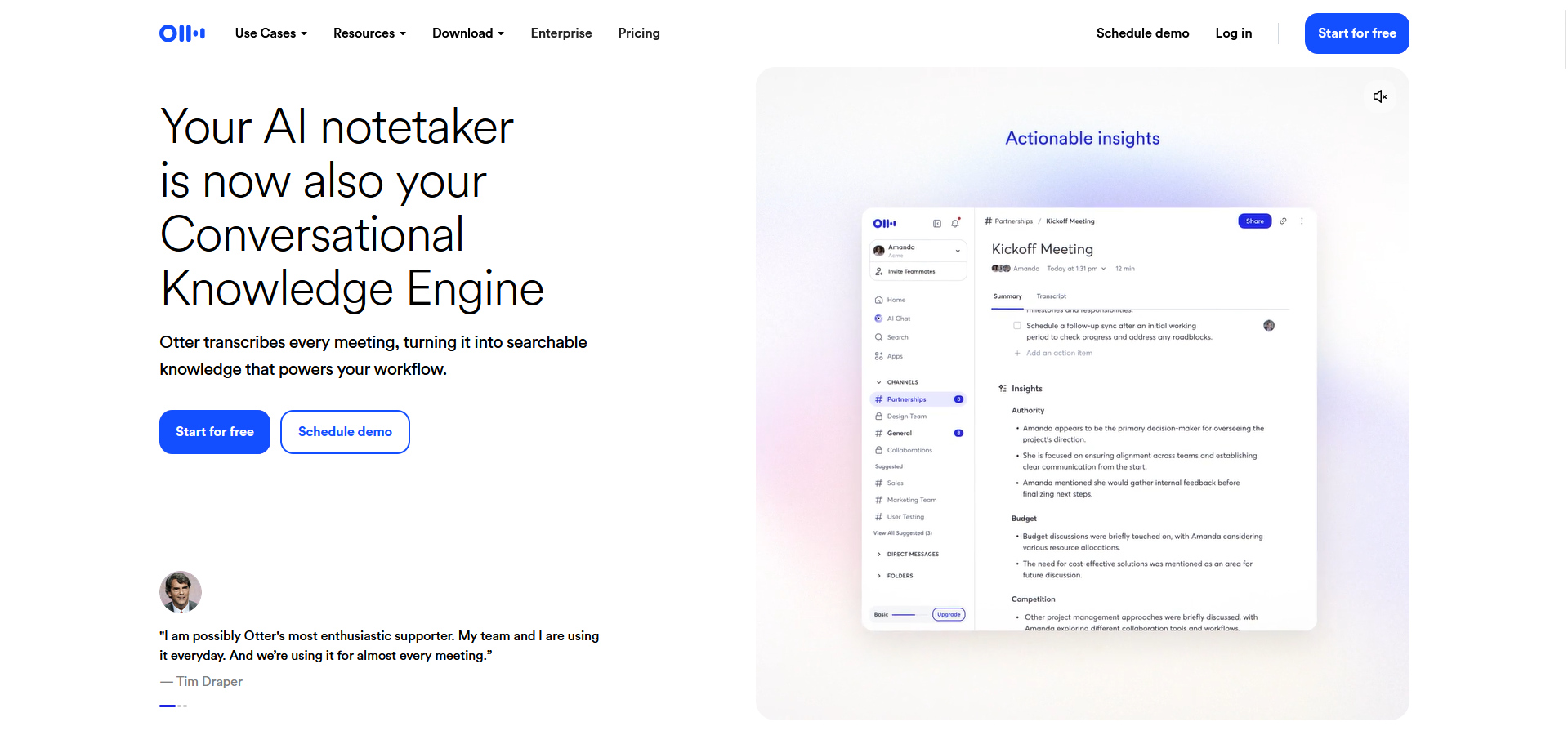
Otter.ai is one of the most established names in AI meeting transcription. It can join scheduled Zoom, Microsoft Teams and Google Meet calls to create real-time transcripts, identify speakers and generate a meeting summary. Users can also record conversations through its mobile or web apps and upload existing audio or video files.
Its main strength is the meeting workflow surrounding the transcript. Notes can be searched, edited and shared, while Otter automatically identifies action items and key takeaways. Team members can highlight sections or add comments, making it useful when several people need to review the same conversation. However, Otter is primarily designed for general workplace meetings rather than multilingual, face-to-face interactions in professional healthcare or education setting.
Features:
- Real-time meeting transcription
- Integrations with Zoom, Microsoft Teams and Google Meet
- Automatic meeting summaries and action items
- Speaker identification
- Searchable and editable transcripts
- Audio and video file uploads
- Shared notes, comments and highlights
- Calendar integration for automatically scheduled transcription
- AI chat for asking questions about recorded conversations
- Mobile, web and desktop access
|
Pros |
Cons |
|
Familiar interface for recording and reviewing business meetings |
Primarily designed around meetings rather than live multilingual communication |
|
Searchable transcripts make previous conversations easy to revisit |
Language coverage is more limited than that of multilingual transcription platforms |
|
Supports collaborative editing, comments and highlights |
An automated meeting agent may be unnecessary or distracting in some calls |
|
Connects with widely used virtual-meeting platforms |
HIPAA support is limited to qualifying Enterprise deployments and requires BAA setup. |
Best choice if:
You want a recognizable, easy-to-use transcription tool for general business meetings.
Notta
Notta, Source: https://www.notta.ai/en
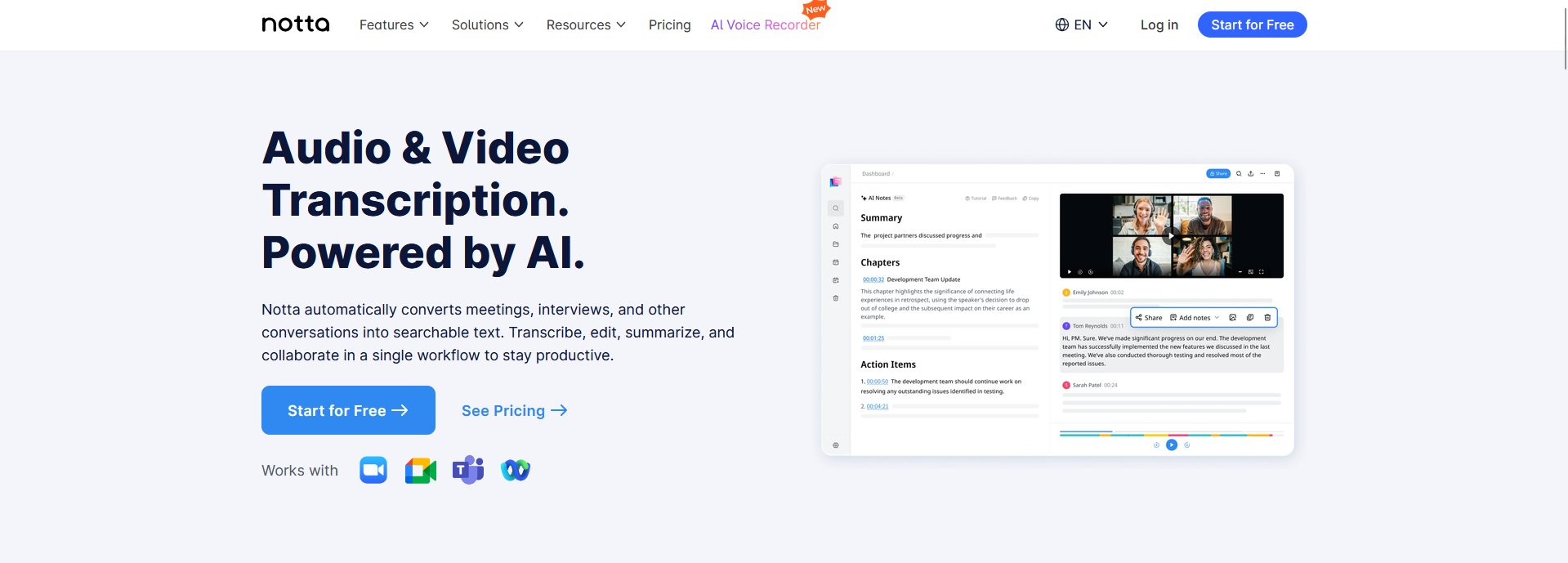
Notta supports several ways to create a transcript. Users can record speech directly, invite Notta Bot to an online meeting or upload an existing audio or video file. This flexibility makes it useful for people who work with a mixture of live meetings, interviews, lectures and previously recorded content.
Once a recording has been processed, Notta can identify speakers, generate an AI summary and extract action items. It also provides multilingual transcription and translation features, including bilingual transcription for conversations where two supported languages are spoken. Its workflow, however, remains centered on capturing and processing transcripts rather than facilitating natural two-way conversations across languages.
Features:
- Live transcription through web and mobile apps
- Audio and video file uploads
- Support for common formats such as MP3, WAV, MP4 and MOV
- AI-generated summaries and action items
- Speaker identification
- Multilingual transcription
- Bilingual transcription and translation for supported languages
- Support for Zoom, Microsoft Teams, Google Meet and Webex
- Searchable, editable and shareable transcripts
- Transcript export in several file formats
|
Pros |
Cons |
|
Accepts recordings from a wide range of sources |
Focuses on transcripts rather than natural two-way voice interaction |
|
Combines file transcription with live meeting capture |
Some translation features support fewer languages than standard transcription |
|
Useful for multilingual recordings and bilingual meetings |
Not specifically designed around healthcare or education workflows |
|
Offers several options for exporting and sharing transcripts |
Meeting capture may require a bot, depending on the recording method used |
Best choice if:
You regularly import recordings or need to transcribe meetings and files from different sources.
PLAUD
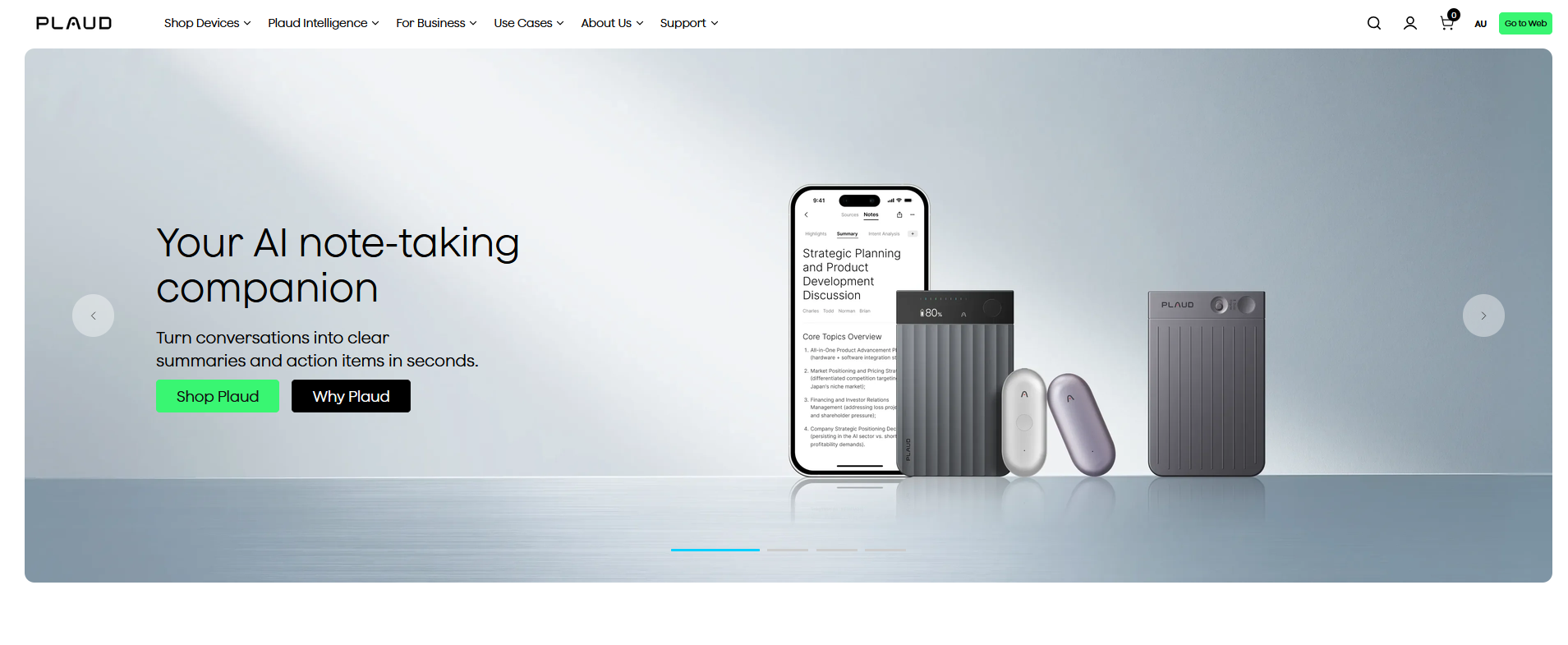
PLAUD, Source: https://www.plaud.ai/
PLAUD takes a hardware-first approach to AI note-taking. Its product range includes card-sized recorders that can attach to a phone and wearable devices designed to capture conversations hands-free. Depending on the device, users can record in-person discussions, voice notes and phone calls without inviting a bot into a meeting.
Recordings are transferred to the PLAUD app, where they can be transcribed and turned into summaries or action items. PLAUD also offers healthcare-oriented templates, including SOAP notes, along with medical vocabulary support and HIPAA-compliant options. Unlike a live transcription or translation app, however, its main value comes after the conversation has been recorded and processed.
Features:
- Card-sized and wearable AI recording devices
- Hands-free recording of in-person conversations
- Phone call recording with supported PLAUD devices
- AI-generated transcripts with speaker identification
- Automatic summaries and action items
- Search across saved recordings
- Templates for meetings, interviews and other professional conversations
- Healthcare templates, including SOAP notes
- Medical terminology support
- HIPAA-compliant healthcare options
- Mobile, web and desktop access to recordings and notes
|
Pros |
Cons |
|
Captures conversations without relying on a phone microphone or meeting bot |
Requires the purchase and use of a separate physical device |
|
Wearable options can record conversations hands-free |
Heavier transcription use requires a paid subscription |
|
Supports phone calls as well as in-person recording |
Focuses on recording and post-conversation processing rather than live translation |
|
Includes templates for general and healthcare documentation |
Users must remember to carry, charge and activate the device |
Best choice if:
You prefer a physical recording device to a phone or a meeting bot.
Heidi
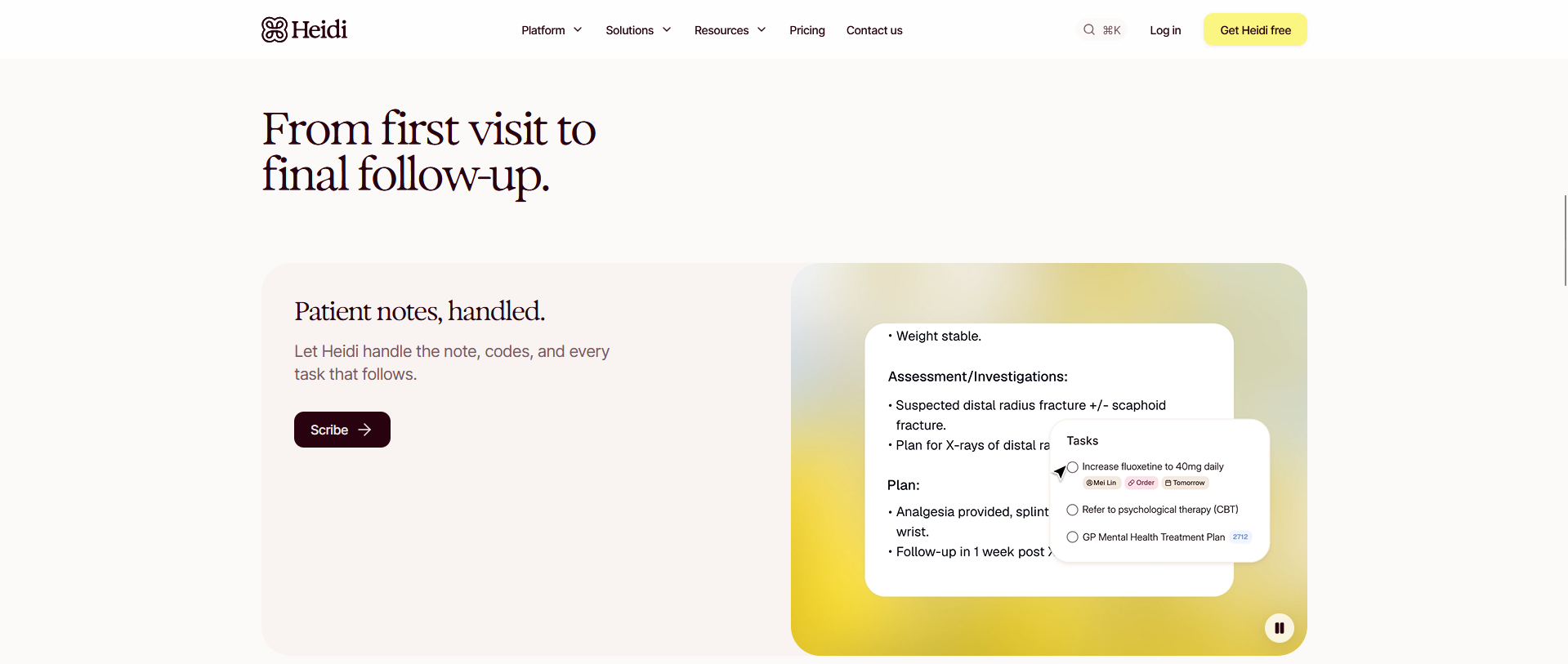
Heidi, Source: https://www.heidihealth.com
Heidi is an AI medical scribe built to turn patient consultations into draft clinical documentation. It captures the conversation between a clinician and patient, then organizes the relevant information into a structured note for the clinician to review. The tool can also support dictation when the user wants to add information outside the consultation itself.
Its templates can be adapted to different specialties, appointment types and documentation preferences. Heidi also offers options for practices and larger clinical teams, including shared templates and administrative controls. This healthcare specialization makes it useful for clinical documentation, but less suitable for general business meetings or conversations that require live translation between participants.
Features:
- Clinical transcription of patient consultations
- AI-generated draft notes
- Customizable clinical templates
- Support for different specialties and appointment types
- Dictation for adding or revising documentation
- Medical terminology recognition
- Generation of supporting clinical documents
- Options for individual clinicians, practices and larger teams
- Shared templates and team administration
- Integration options for clinical documentation workflows
|
Pros |
Cons |
|
Designed specifically around patient consultation documentation |
Primarily useful within healthcare settings |
|
Produces structured drafts that clinicians can review and edit |
Not intended for general meetings, lectures or business calls |
|
Templates can be adapted to different specialties and note formats |
Does not focus on live communication between people who speak different languages |
|
Offers options for individual clinicians and larger practices |
Its broader clinical workflow features may be unnecessary for users who only need transcription |
Best choice if:
You are a healthcare professional who mainly needs draft documentation from patient consultations.
Abridge
Abridge is an ambient clinical documentation platform designed primarily for hospitals and health systems. It captures patient-clinician conversations and turns them into structured draft notes that can be reviewed within the organization’s existing electronic health record workflow.
Its emphasis on enterprise deployment distinguishes it from standalone medical scribes. Abridge integrates with EHR systems, including Epic, and links sections of its generated notes to supporting moments in the conversation. It also provides administrative and governance capabilities for larger clinical organizations. That depth makes it a substantial healthcare platform, but a poor fit for general meetings or individual users seeking a simple transcription app.
Features:
- Ambient capture of patient-clinician conversations
- Structured draft clinical notes
- Direct integration with EHR workflows
- Epic integration through Haiku and Hyperspace
- Linked Evidence connecting note content to the source conversation
- Support for different clinical specialties and note types
- Clinician review and editing
- Enterprise deployment and administrative controls
- Documentation support for billing and revenue-cycle workflows
- Options for organization-wide implementation
|
Pros |
Cons |
|
Fits clinical documentation directly into EHR workflows |
Designed for healthcare organizations rather than general professional use |
|
Linked Evidence helps clinicians verify generated note content |
Likely more extensive than an individual clinician or small team requires |
|
Supports enterprise implementation across health systems |
Not intended for everyday meetings, lectures or personal notes |
|
Covers broader clinical and administrative workflows |
Does not focus on live multilingual communication between participants |
Best choice if:
Your health system needs AI-generated clinical notes integrated directly into its EHR workflow.
Fireflies.ai
Fireflies.ai, Source: https://fireflies.ai/
Fireflies.ai is built around capturing online meetings and moving the resulting information into the rest of a company’s workflow. Its meeting assistant can join calls on platforms such as Zoom, Microsoft Teams and Google Meet, then produce a transcript, summary and list of action items.
The platform’s strongest differentiator is what happens after the meeting. Transcripts can be searched, commented on and organized into channels, while integrations can send notes or meeting details to CRMs and project-management tools. Fireflies.ai also provides conversation analytics and topic tracking for teams that want to review patterns across multiple calls. However, its workflow is primarily designed for scheduled business meetings rather than natural, face-to-face or multilingual conversations.
Features:
- Automated transcription of online meetings
- Integrations with Zoom, Microsoft Teams and Google Meet
- AI-generated summaries and action items
- Searchable meeting transcripts
- Speaker identification
- Comments and collaborative review
- Topic and keyword tracking
- Conversation analytics
- AI assistant for asking questions about meetings
- CRM integrations, including HubSpot and Salesforce
- Connections with project management and collaboration tools
- Shared meeting libraries for teams
|
Pros |
Cons |
|
Connects meeting notes with a wide range of business tools |
A visible meeting bot may not suit every conversation |
|
Useful for transferring call information into CRM records |
More focused on scheduled meetings than in-person interactions |
|
Supports team-wide search and analysis across recorded calls |
Advanced AI functions may require additional credits, depending on the plan |
|
Offers collaboration and administrative features for larger teams |
Not specifically designed for sensitive healthcare or education conversations |
Best choice if:
You want meeting transcripts and follow-up information to flow into your CRM or other business tools.
Fathom
Fathom keeps its core meeting workflow relatively simple. It records calls on Zoom, Microsoft Teams and Google Meet, then produces a transcript and summary shortly after the meeting ends. Users can revisit specific moments in the recording instead of searching through the entire call manually.
Its free individual plan is a major part of the appeal, offering unlimited recordings and storage. Fathom can identify action items, generate different types of summaries and sync meeting information with tools such as HubSpot. Team plans add shared call libraries and features for reviewing conversations across an organization.
The product makes the most sense for people who spend much of their day in virtual meetings. It has less to offer when the conversation happens in person, requires live translation or involves a specialized documentation workflow.
Features:
- Recording and transcription for Zoom, Microsoft Teams and Google Meet
- AI-generated meeting summaries
- Automatic action-item detection
- Searchable transcripts linked to the recording
- Shareable meeting clips and highlights
- Multiple summary formats
- CRM integrations, including HubSpot
- Free individual plan with unlimited recordings and storage
- Shared call libraries for teams
- Search across recorded meetings
- Desktop app for managing upcoming and active calls
|
Pros |
Cons |
|
Generous free plan for individual users |
Primarily intended for virtual meetings |
|
Produces clear summaries without a complicated setup |
Requires the meeting to be recorded by Fathom |
|
Makes it easy to revisit and share specific moments from a call |
Team collaboration and advanced AI features depend on the selected plan |
|
Can send meeting information to supported CRM platforms |
Not designed for live multilingual or specialized clinical conversations |
Best choice if:
You want straightforward summaries of your virtual meetings without paying for a feature-heavy team platform.
Granola
Granola takes a different approach from meeting assistants that join calls as visible participants. It captures audio directly from the user’s computer, so no bot appears in the meeting. During the conversation, users can jot down rough notes or highlight what matters to them.
Afterward, Granola expands those notes using information from the meeting transcript. This creates a more directed summary than an entirely automatic recap because the user’s own notes tell the AI which parts deserve attention. Custom templates can shape the final output for interviews, sales calls or other recurring meeting types.
Granola also supports AI queries across previous meetings and can surface context from earlier conversations. The trade-off is that its strongest results depend partly on the user providing some direction. Someone who wants a fully automated recorder with detailed speaker-labelled transcripts may prefer a more conventional meeting assistant.
Features:
- Bot-free meeting capture
- AI enhancement of notes written during a meeting
- Automatic notes when the user leaves the notepad blank
- Custom note templates
- Search and AI questions across previous meetings
- Context from earlier conversations with the same people or companies
- Shared folders and meeting notes for teams
- Integrations with business and productivity tools
- Templates for interviews, sales calls and other meeting types
- Desktop and mobile access
|
Pros |
Cons |
|
Does not add a visible bot to the meeting |
Best results may require the user to write or guide the notes |
|
Combines the user’s priorities with information from the transcript |
More focused on meetings than lectures, clinical consultations or general recordings |
|
Produces notes that can feel more selective than a generic summary |
Not designed for live translation between participants |
|
Can connect current discussions with earlier meeting context |
Some team and cross-meeting capabilities depend on the selected plan |
Best choice if:
You want AI to refine your own meeting notes without adding a bot to the call.
Happy Scribe
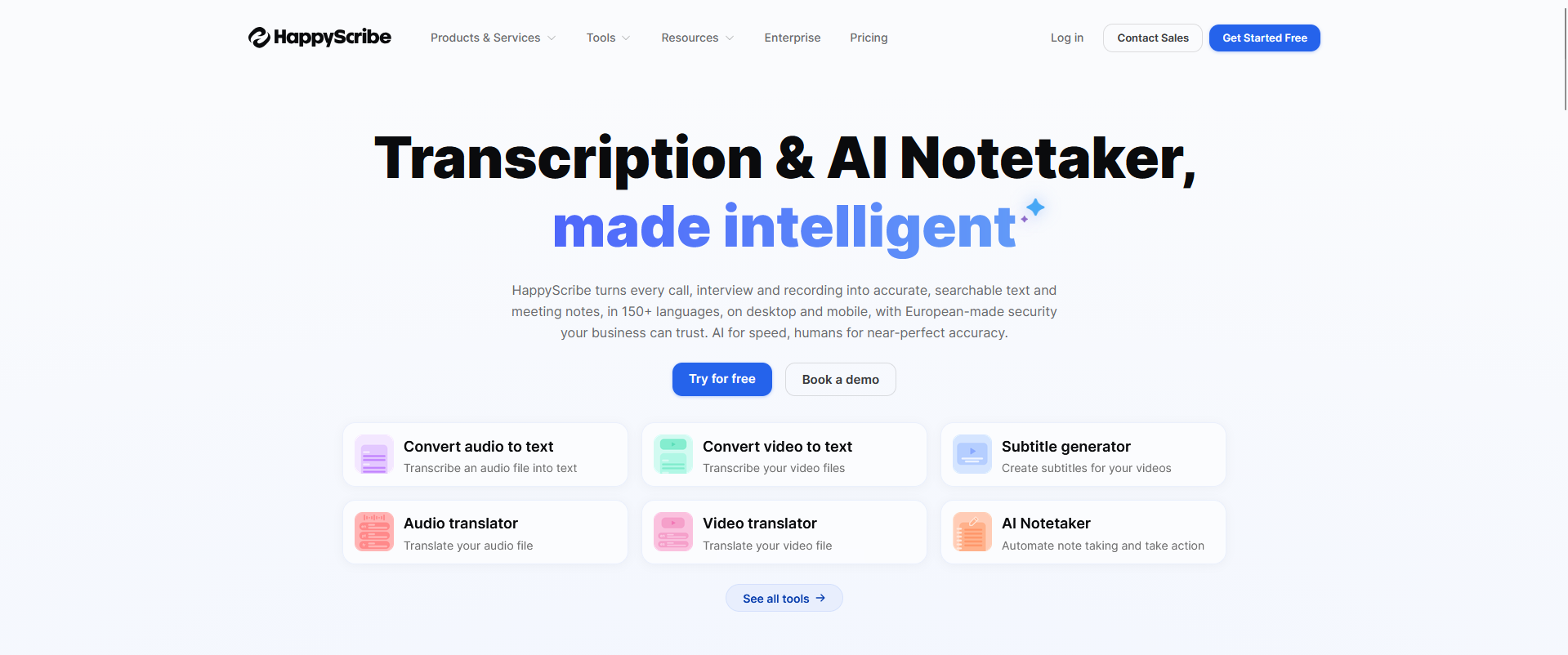
Happy Scribe, Source: https://www.happyscribe.com/
Happy Scribe covers more than meeting notes. Users can upload audio or video, generate a transcript and turn the same recording into captions or subtitles. This makes it particularly useful when spoken content needs to be published, repurposed or made accessible rather than simply summarized for internal reference.
Automated transcription and translation provide a faster starting point, while human-made transcription and subtitle services are available when a recording needs additional review. Happy Scribe also includes an editor for correcting text, adjusting subtitle timing and preparing files for export.
Its support for numerous languages and file formats gives content teams considerable flexibility. For someone who only wants a short summary after an occasional meeting, though, the broader media-production workflow may be unnecessary.
Features:
- Automated transcription of audio and video files
- AI meeting note-taking
- Subtitle and caption generation
- Transcript and subtitle translation
- Human-made transcription and subtitle options
- Browser-based transcript and subtitle editor
- Speaker identification
- Time-code editing
- Support for a broad range of languages
- Export options for text, subtitle and caption formats
- Team collaboration and file sharing
- Integrations for media and content workflows
|
Pros |
Cons |
|
Handles transcripts, captions and subtitles within one platform |
Broader media features may be unnecessary for basic meeting notes |
|
Suitable for recorded interviews, webinars and video content |
Human-made services cost more than automated processing |
|
Offers human review when automated output is not sufficient |
Less focused on action items and workplace follow-up than dedicated meeting assistants |
|
Supports many languages and export formats |
Not intended to facilitate live two-way translated conversations |
Best choice if:
You need transcripts, captions and subtitles for recorded media.
JotMe
JotMe puts live translation at the center of its note-taking experience. During an online meeting, participants can follow translated captions while the app creates a transcript in the background. Once the call ends, JotMe can generate notes in a different language from the one spoken during the meeting.
The desktop app works across platforms including Zoom, Microsoft Teams, Google Meet and Webex without adding a bot to the participant list. JotMe also offers real-time summaries, AI search and custom vocabulary. Its live voice translation can reproduce speech in another language using an AI-generated voice, extending the product beyond text-only captions.
That combination is useful for international meetings, classes and events. Organizations handling regulated patient or student information will need to examine whether its current compliance controls meet their requirements, as JotMe is positioned more broadly for multilingual communication than for dedicated healthcare or education workflows.
Features:
- Live transcription during meetings
- Real-time translation and translated captions
- Cross-language AI meeting notes
- Bot-free capture through the desktop app
- Support for Zoom, Microsoft Teams, Google Meet and Webex
- AI-generated summaries
- AI search across meeting content
- Custom vocabulary
- Voice translation using AI-generated speech
- Audio and video file transcription
- Desktop support for online calls
- Mobile options for in-person conversations
|
Pros |
Cons |
|
Provides translation while the meeting is taking place |
Broader business focus may not meet every regulated-industry requirement |
|
Can create meeting notes in a different language from the conversation |
Extensive language coverage does not guarantee equal accuracy across every language pair |
|
Does not add a visible bot to online meetings |
More specialized than necessary for users who only need same-language summaries |
|
Works across several commonly used meeting platforms |
Healthcare documentation features are less developed than those of dedicated clinical tools |
Best choice if:
You need live translation and meeting notes during multilingual online conversations.
Transkriptor
Transkriptor, Source: https://transkriptor.com/
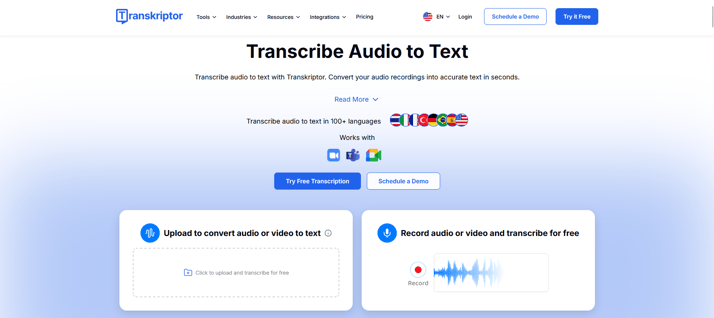
Transkriptor is a general-purpose transcription platform for converting recorded speech into editable text. Users can upload existing audio or video files, record directly within the platform or capture conversations from Zoom, Microsoft Teams and Google Meet.
After processing a recording, Transkriptor identifies speakers and creates an AI summary. The transcript can then be searched, edited and exported for use in documents, captions or other workflows. A desktop app also offers bot-free meeting capture for users who do not want an automated participant joining their calls.
This flexibility makes Transkriptor suitable for interviews, lectures and meeting recordings from different sources. Its general-purpose approach provides less support for regulated documentation or live professional conversations where translation and structured notes need to happen within the same workflow.
Features:
- Audio and video transcription
- Uploads in common audio and video formats
- Direct recording through the platform
- Meeting capture for Zoom, Microsoft Teams and Google Meet
- Bot-free recording through the desktop app
- Speaker identification
- AI-generated summaries
- Searchable and editable transcripts
- AI questions about recorded conversations
- Support for more than 100 languages
- Multiple transcript export formats
- Cloud access across devices
|
Pros |
Cons |
|
Accepts audio and video from several different sources |
General-purpose workflow offers less support for specialized documentation |
|
Provides both file uploads and live meeting recording |
Not designed to facilitate live multilingual conversations |
|
Transcripts can be edited and exported in different formats |
Users needing only simple meeting summaries may not use its broader transcription features |
|
Bot-free desktop capture is available for online meetings |
Does not provide the same healthcare or education focus as regulated-workflow tools |
Best choice if:
You mainly need to convert existing audio and video recordings into editable notes.
Key factors to consider before choosing an AI note-taking app
A long feature list does not tell you whether an app is suitable for your conversations. Before recording a meeting, consultation or class, consider how the tool captures audio, what it produces and where that information goes afterward.
Start with the type of conversation
A tool designed for scheduled video calls may not work as well during a patient consultation, lecture or face-to-face interview. Determine whether you need to capture virtual meetings, in-person conversations, clinical consultations or existing recordings.
Also consider where you will use the app. Desktop meeting assistants suit online calls, while mobile apps and wearable devices may work better in classrooms, appointments or field settings.
Some apps require a meeting bot to join the call. Bots make automated recording convenient, but participants may find them distracting. A mobile app, desktop recorder or wearable device can provide a less intrusive alternative.
Consider live versus recorded transcription
Some apps transcribe conversations as they happen. Others work best after an audio or video file has been uploaded.
Live transcription is useful when participants need captions, translation or immediate access to the notes. File-based transcription may be a better fit for recorded interviews, lectures and media that will be reviewed later. Check whether the app supports the file formats and recording sources you regularly use.
Separate transcription from translation
Transcription converts speech into text in the same language. Translation makes that speech or text available in another language. Many apps that advertise multilingual transcription can recognize recordings in several languages but cannot translate a live conversation between participants.
If people need to understand one another as they speak, look specifically for real-time translation. Check whether the app provides translated text only or also supports voice playback.
Look beyond the number of supported languages
A high language count can be useful, but it does not show how well each language or pair performs. Some tools support many languages for uploaded recordings while offering live or bilingual features for a much smaller selection.
Review the specific languages you expect to use. Accents, background noise and specialized terminology can also affect transcription quality, so test the app under realistic conditions before adopting it across a team.
Examine how the app handles sensitive information
Meeting recordings and transcripts may contain personal, educational or health information. Review whether the provider encrypts data, how long recordings are retained and whether customer content is used to train AI models.
For regulated workflows, a general statement about security is not enough. Confirm that the relevant product and subscription support your compliance requirements. Healthcare organizations should also establish whether the provider will sign a Business Associate Agreement when one is required.
Confirm who can access recordings and notes
Check whether transcripts are private by default or automatically shared with other team members. Administrative controls should let an organization decide who can view, download or delete recordings.
This becomes particularly important when an app connects to calendars, automatically joins meetings or stores conversations in a shared library. Review these defaults before enabling automatic recording across an organization.
Understand recording-consent requirements
Recording rules vary by location and setting. Some conversations require consent from every participant, while others may be governed by workplace policies or professional obligations.
The app may display a recording notification or join as a visible bot, but that does not necessarily satisfy every requirement. Organizations should establish a clear consent process rather than relying solely on the software.
Review the notes, not just the transcript
A transcript is only the raw material. Examine whether the app identifies decisions, action items and follow-up steps while preserving important context.
The required output also depends on the setting. One user may need a brief meeting recap, while another requires translated notes, custom templates or structured documentation such as SOAP notes. AI-generated notes should remain reviewable and editable, especially when they may influence patient care, student records or formal business decisions.
Check where the information needs to go next
Some users only need a searchable transcript. Others need to export captions, update a CRM or transfer clinical documentation into an EHR.
Review whether the app connects with your calendars, meeting platforms, cloud storage and other business systems. It should also allow users to correct, search, organize and export their notes. A tool may generate good summaries while still adding manual work if it cannot fit into the next stage of your workflow.
Calculate the full cost of regular use
Free plans often limit transcription minutes, recording length or access to older conversations. Some platforms reserve advanced summaries, integrations or compliance controls for paid tiers.
Compare monthly allowances, per-user charges and any additional AI credit costs. Hardware-based products introduce an upfront device expense and may still require a subscription for heavier use. Larger organizations may also need an enterprise plan for administrative or security features. Estimate your normal usage instead of comparing entry-level prices alone.
Which AI note-taking app fits your situation?
The right choice depends on where your conversations happen and what you need to do with the notes afterward.
For secure professional conversations: PairaVoice combines multilingual communication with saved transcripts and structured SOAP notes. It is particularly suited to healthcare and education workflows where sensitive information may be discussed.
For general business meetings: Otter.ai is a familiar option for real-time transcription and searchable meeting notes. Its collaboration features also make it useful for teams that regularly revisit previous conversations.
For uploaded recordings: Notta and Transkriptor both process audio and video from different sources. Notta offers stronger multilingual features, while Transkriptor provides a flexible general-purpose workflow for editing and exporting transcripts.
For a dedicated recording device: PLAUD offers card-sized and wearable recorders for capturing phone calls or face-to-face conversations. It is a practical choice if you prefer physical hardware to a phone app or meeting bot.
For clinical documentation: Heidi is well suited to individual clinicians who need structured drafts from patient consultations. Abridge is designed for larger health systems that require clinical notes integrated with EHR workflows.
For sales and CRM workflows: Fireflies.ai can route meeting notes and follow-up information into CRMs and other business tools. Its shared meeting library also supports teams reviewing conversations across multiple accounts or projects.
For virtual meeting summaries: Fathom provides a straightforward way to record and summarize calls on common meeting platforms. Its free individual plan is particularly useful for people who attend frequent online meetings.
For bot-free desktop meetings: Granola captures conversations without adding a visible participant to the call. It works best for professionals who want AI to expand and organize the notes they take themselves.
For subtitles and media production: Happy Scribe can turn recorded audio and video into transcripts, captions and translated subtitles. Human-made services are also available when content requires additional review.
For multilingual virtual meetings: JotMe provides live translated captions during online calls and can generate notes in another language afterward. It is a strong option when participants need help understanding the meeting as it happens.
Match the app to the conversation
The best AI note-taking app is not necessarily the one with the longest feature list. It is the one designed for the setting in which the conversation takes place and the work that follows.
Virtual meeting assistants are effective for scheduled calls. Clinical scribes focus on medical documentation, while media transcription platforms are better suited to recorded content. Each category solves a different problem.
PairaVoice occupies a different position. It combines note transcription and structured documentation with live multilingual communication for healthcare and education professionals working in face-to-face environments.
The deciding question is not simply whether you need a transcript. Do you only need to review what was said later, or do participants need to understand one another while creating a secure record of the conversation?
Frequently asked questions
What is the best AI note-taking app?
The best app depends on the conversation. Among the tools compared here, PairaVoice is the strongest choice for secure multilingual workflows in healthcare and education because it combines live voice translation with transcripts and structured SOAP notes. Otter.ai or Fathom may be better for standard virtual meetings, while Notta and Transkriptor are useful for processing uploaded recordings.
How accurate are AI note-taking apps?
Accuracy depends on the recording environment. Clear speech and good microphone placement generally produce better results, while overlapping speakers or background noise can introduce errors. Accents and specialized terminology can also affect the transcript.
Vendor accuracy percentages are difficult to compare because testing methods differ. Test any app with realistic conversations before relying on it across a team.
Can AI note takers summarize meetings?
Yes. Many AI note takers can turn a transcript into a shorter meeting summary. Depending on the app, they may also identify decisions, action items and follow-up steps.
Some tools support more specialized output. Clinical apps, for example, may organize a patient consultation into a structured draft note rather than a general meeting recap.
Can AI note-taking apps translate conversations?
Some can, but language features vary considerably. Multilingual transcription records speech in the language being spoken. Transcript translation converts the completed text into another language. Real-time translation helps participants understand one another during the conversation.
An app that advertises support for many transcription languages does not necessarily provide live two-way translation in all of them.
Are AI note-taking apps safe for healthcare or education?
General-purpose meeting tools may not be appropriate for patient or student information. Before recording sensitive conversations, review the provider’s encryption, access controls and data-retention practices. You should also determine whether customer content is used for AI training.
Do not rely on a broad security statement alone. Confirm that the specific product and subscription support your organization’s compliance requirements. Healthcare organizations should also check whether a Business Associate Agreement is available when required.
Can AI note takers identify different speakers?
Many apps can separate a conversation by speaker and may allow users to assign names afterward. Performance can decline when people interrupt one another, sound similar or speak far away from the microphone.
Speaker labels should therefore be reviewed before a transcript or summary is treated as a formal record.
Do AI note-taking apps work for in-person conversations?
Yes, although some are better suited to in-person use than others. Many meeting assistants are designed primarily for Zoom, Microsoft Teams or Google Meet. Mobile apps, desktop recorders and wearable devices can capture face-to-face conversations without joining a virtual call.
Consider microphone placement and background noise when evaluating an app for classrooms, consultations or fieldwork.
Can an AI note taker replace manual note-taking?
An AI note taker can reduce the time spent writing and organizing notes, but it should not remove human review. Transcripts may contain errors, and summaries can omit context or give too much importance to the wrong detail.
Review is especially important when notes influence patient care, student records or formal business decisions.
What is the difference between transcription and AI notes?
A transcription is a written record of what was said. AI notes interpret and organize that transcript into a more concise format, such as a summary or list of action items.
Structured AI notes may also follow a specific template. SOAP notes are one example used in healthcare documentation.
Can AI note-taking apps replace human interpreters?
AI tools can support routine multilingual communication, particularly when immediate assistance is needed. They should not automatically be treated as substitutes for qualified human interpreters in legal proceedings, critical medical decisions or other high-risk situations.
The appropriate choice depends on the consequences of an error and any applicable organizational or regulatory requirements.
Reviewed by

Founder and CTO
He is Co-Founder and CTO of Pairaphrase and a leader in translation technology with more than two decades of experience improving how organizations communicate across languages. His work focuses on making multilingual communication more accurate, efficient, and accessible through AI-driven translation solutions, practical innovation, and a strong emphasis on usability, quality, and security.