


/PairaVoice-Start-A-Conversation-nobg-md.png?width=200&height=300&name=PairaVoice-Start-A-Conversation-nobg-md.png)















AI Document Translation Software for Secure Workflows
Pairaphrase is secure, document-first AI translation management software that helps teams translate, review and export recurring, sensitive or complex files.


.svg)
30+ file types · 160+ languages · Scanned documents + OCR support · Translation Memory + glossaries · Review before final delivery · Formatting support

What teams need from document translation software
Translate full files while keeping formatting, terminology, review, reuse and export connected in one workflow.

Whole-file translation
Translate Word documents, PowerPoint files, Excel files, PDFs, scanned documents and other supported file types without scattered copy-paste workflows.

Formatting support
Preserve document structure, layouts, tables, slides, fonts and images where supported to reduce manual cleanup.

Terminology consistency
Use Translation Memory and glossaries to improve consistency across recurring documents, sensitive communications and high-volume translation projects.

Review before final delivery
Route translated files through review when documents require human approval, subject matter expertise or final quality checks.

“Pairaphrase has greatly simplified my workflow for translating long, complex documents in a reliable and easy-to-use way.”
— Kelly Batista Whitfield, Quality Specialist, Braskem

Translate common document and file types in Pairaphrase
Pairaphrase supports the file types teams translate most often, with dedicated workflows for PDFs, Office files, Google Workspace files, design files and structured formats.
PDF files
Translate digital PDFs while supporting secure workflows, pre-delivery review, and formatting preservation where available.

Image-based files
Use OCR-supported workflows for scanned PDFs, image-based files and scanned document translation.

Word documents
Translate policies, reports, manuals, notices and long-form documents while supporting structure and approved terminology.

PowerPoint presentations
Translate slide decks for training, education, sales, marketing and internal communication.

Excel spreadsheets
Translate spreadsheet content, labels, tables and structured workbook files inside a controlled translation workflow.

Google Workspace files
Translate Google Docs, Sheets and Slides through supported Google Drive-connected workflows.

Design and layout files
Translate layout-sensitive design files with fewer manual handoffs between translation and creative production.
Structured and technical files
Support technical translation workflows for XLIFF, JSON, XML, subtitles and other structured multilingual files.
For the complete list, see Pairaphrase supported file types below.

Why teams need more than raw document translation output
Basic document translators can create first drafts, but important files often need security, terminology control, formatting support and review.
Common problems with basic document translation tools:
How document translation works in Pairaphrase
Pairaphrase keeps document upload, translation, review, reuse and export inside one secure workflow.
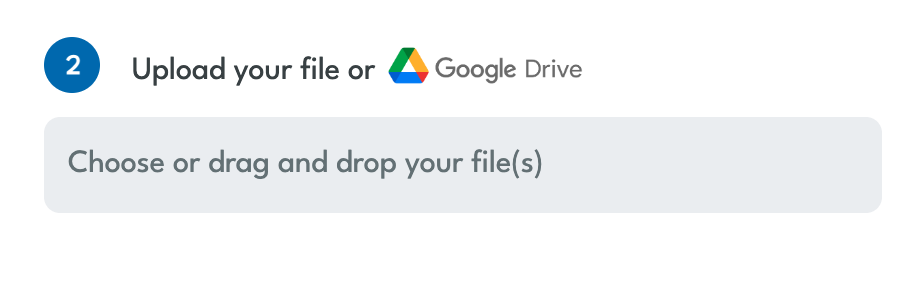
1. Upload your file
Start with a supported document or file type, such as a Word document, PowerPoint file, Excel file, PDF, scanned document, IDML file or XLIFF file.
2. Choose languages and translation options
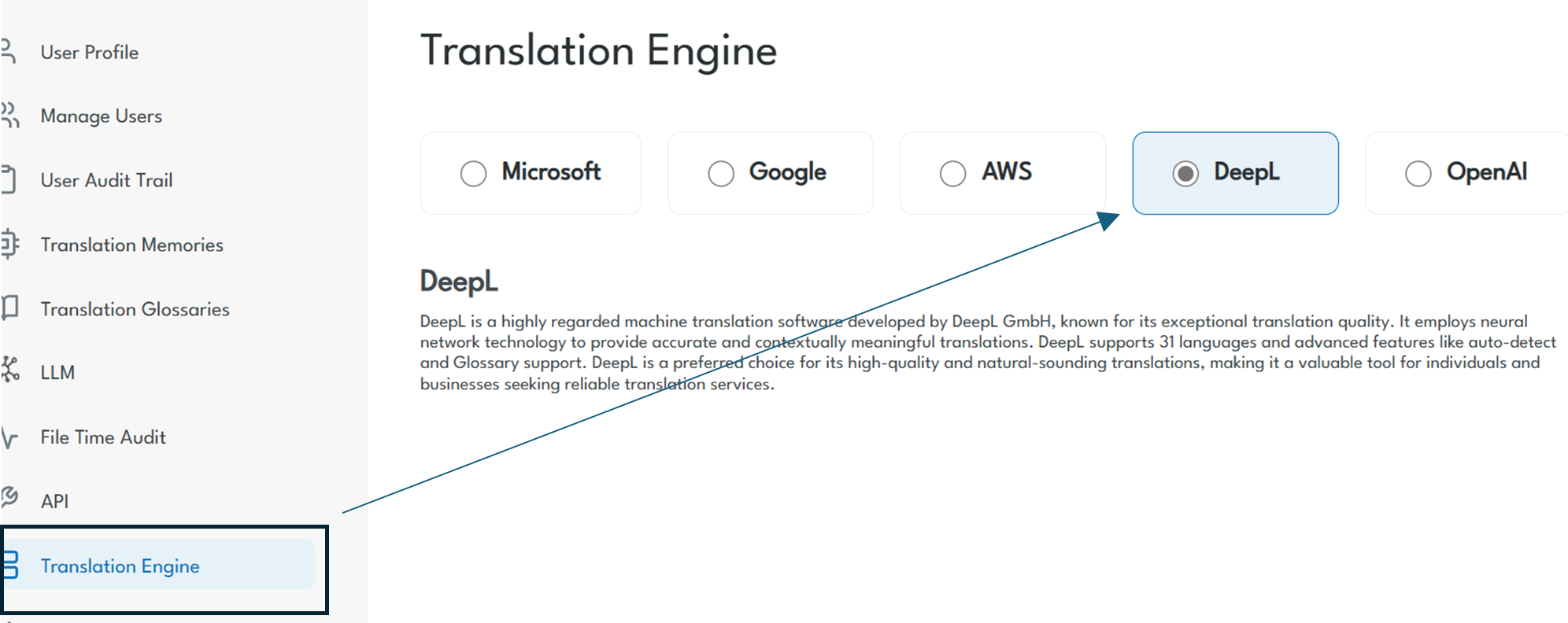
Select source and target languages, then translate your file using a supported AI or Machine Translation engine inside Pairaphrase.
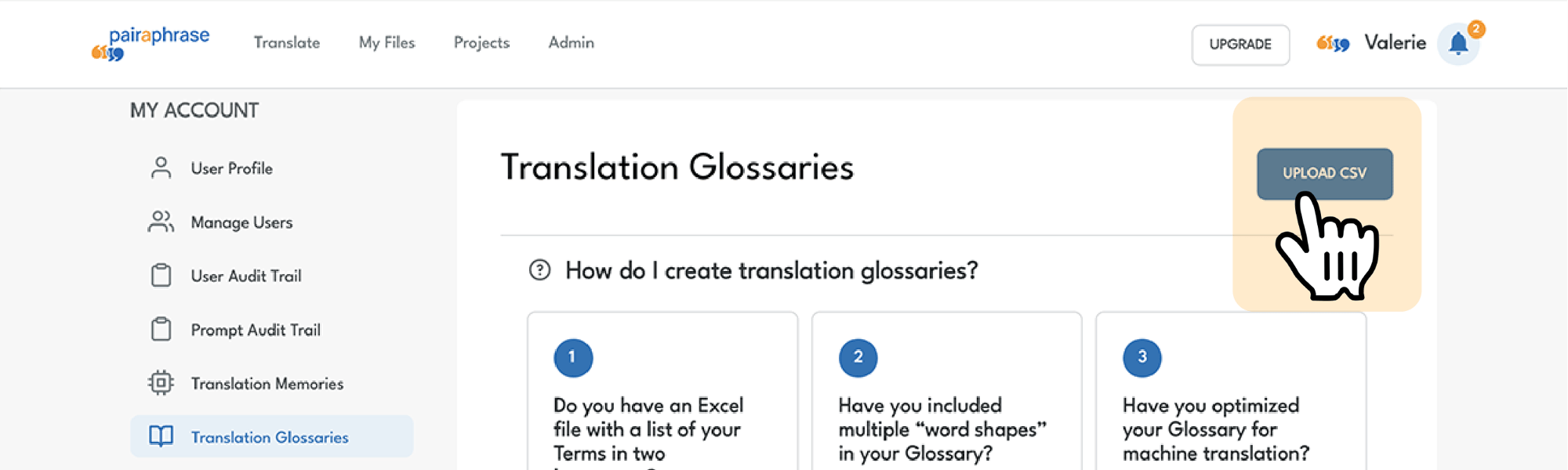
3. AI applies Translation Memory and glossaries
Use approved translations and terminology to improve consistency across recurring documents and future translation projects.
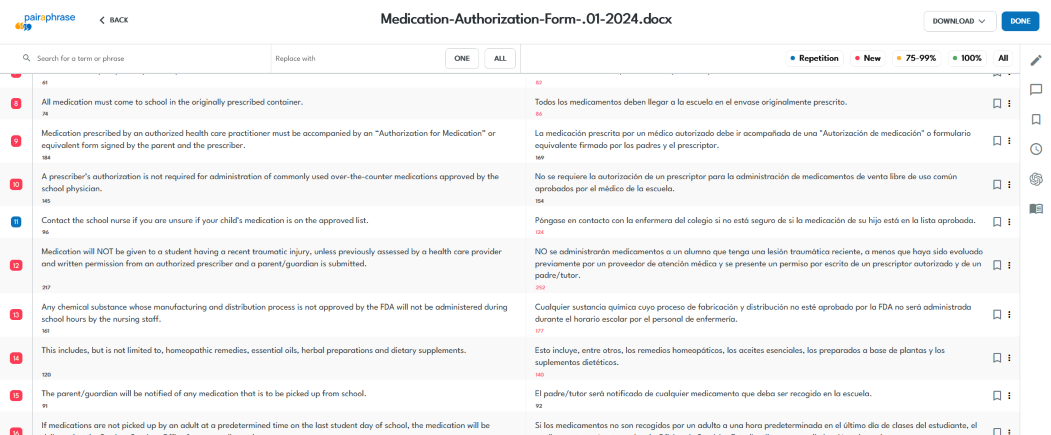
4. Review the translated file
Send translated content through review when accuracy, tone, terminology or sensitivity requires human approval
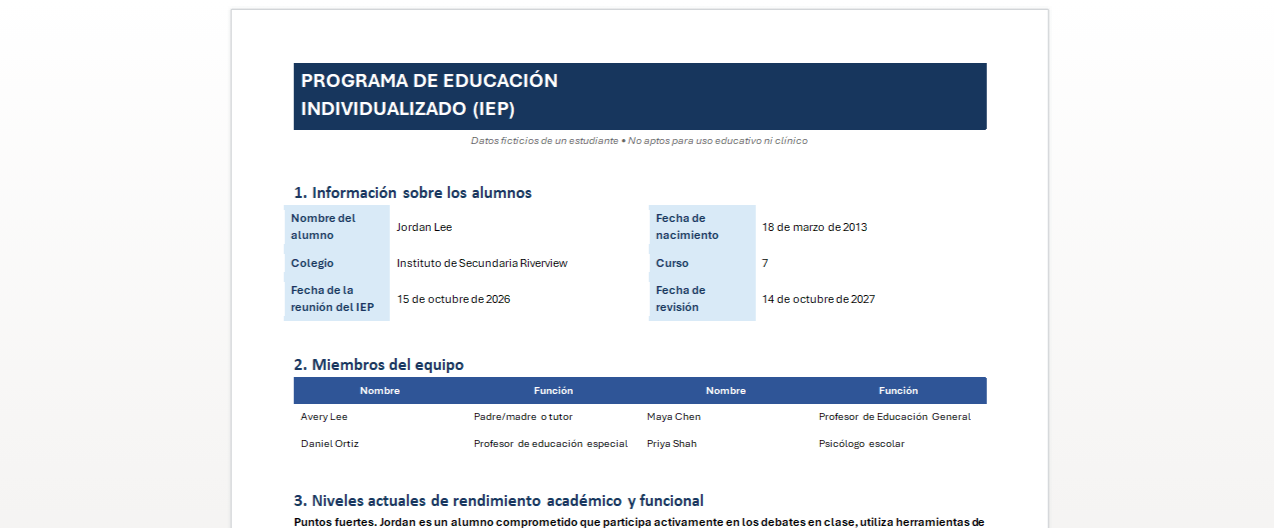
5. Preview layout
Preview translated files before final use to check formatting, spacing, tables, slides, and visual structure where supported by the file type.
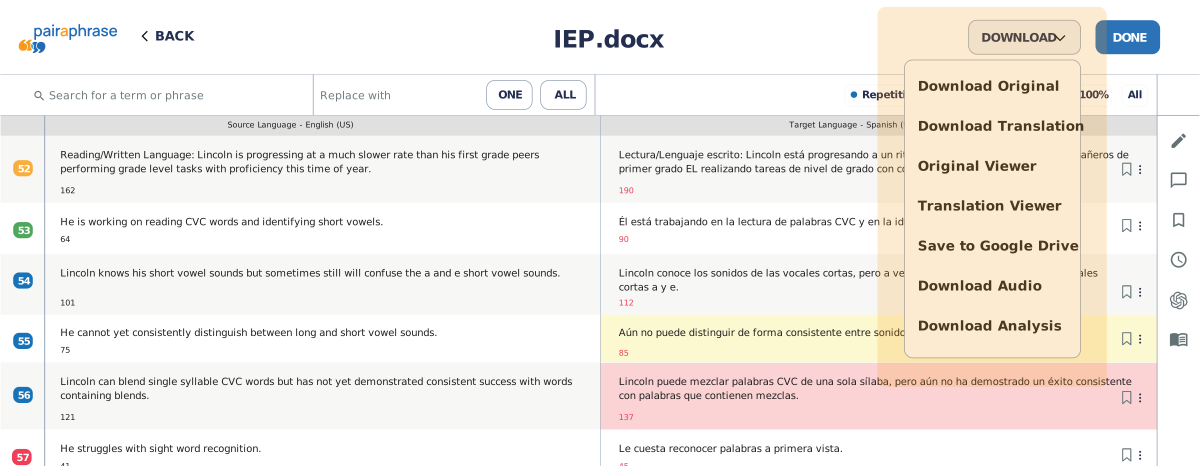
6. Download or export the final document
Download the translated file, original file, scanned document, translated output or analysis report.

See document translation from upload to download
Watch how Pairaphrase supports file upload, translation, review when needed and final document export in an easy-to-use platform.

Document translation tools included in Pairaphrase
Pairaphrase document translation software includes tools for AI, review, formatting, reuse, terminology and collaboration.

AI Translation Tools
Use AI and Machine Translation options, including Microsoft, Google, PairaphraseGPT, DeepL and ChatGPT.
Translation Editing
Review and refine translated files before final delivery when human review is needed.
Automatic File Formatting
Preserve original document structure, layouts, tables, fonts and images where supported.

OCR Support for Scanned Documents
Support workflows for scanned PDFs and image-based text where OCR is needed before translation.
Translation Memory
Reuse approved translations across recurring document projects.
Terminology Management
Use glossaries to apply approved terms consistently across document translation workflows.

Collaborative Translation
Bring reviewers, translators and subject matter experts into shared translation workflows.
Export and analysis reports
Download original files, translated files, OCR-processed files, previews, Google Drive exports, and analysis reports from the Translation Editor.
Pairaphrase document translation software vs. basic file translators
Basic file translators may translate text, but teams still need control over security, review, terminology, formatting and reuse.
Not ready for the full platform yet?
Try the free secure document translator (limited features) to translate one file, then compare paid plans when you need secure workflows, review, Translation Memory and team controls.
Results from stronger document translation workflows
See how Pairaphrase customers simplify document translation with faster turnaround and less manual work.

Joseph Business School
Higher education / global curriculum translation
- 98% lower translation cost
- Nearly $60,000 saved
- 1,000+ hours saved annually
- 75,000 words translated per month
Workflow outcome: Joseph Business School translated its full curriculum across PPTX and DOCX files in less than two months, helping the team expand multilingual program access while maintaining formatting across major file types.

Pleasanton Unified School District
Schools / K–12 education
- 93% lower translation cost per word
- $186,000 saved annually
- 800+ staff hours saved per year
- 3-week document turnaround eliminated
Workflow outcome: Pleasanton moved high-volume school document translation into a secure, cloud-based workflow that helped staff deliver multilingual communication faster.

Aquatrols
Manufacturing
- 96% lower translation cost
- $45,000 saved annually
- 2,000+ hours saved annually
- 50,000 words translated per month
Workflow outcome: Aquatrols improved governed IDML, PDF and DOCX translation workflows while supporting distributor review for regional and regulatory accuracy.

Common document translation needs Pairaphrase supports
Use Pairaphrase to translate recurring files, sensitive documents and multilingual content across teams.

Internal documents
Keep SOPs, departmental reports, operational updates, reference materials, and cross-functional files accessible across languages.
Training and enablement materials
Prepare onboarding guides, learning resources, training decks, course materials, and enablement content for multilingual audiences.

School and education communications
Support multilingual access to district communications, parent notices, forms, policies, academic content, and student-related documents.
Medical documents
Manage multilingual patient-facing materials, medical forms, care instructions, health education content, and clinical communication support files.
Administrative documents
Handle recurring forms, public notices, applications, office records, operational files, and routine business documents.

Technical documentation
Maintain multilingual manuals, product guides, knowledge base content, help articles, and support documentation.

Marketing and campaign files
Adapt campaign assets, presentations, landing page copy, email content, and regional messaging for multilingual audiences.
.png?width=25&height=25&name=team-(2).png)
HR and employee communications
Share benefits information, employee resources, workplace policies, HR forms, and staff communications across languages.
Secure document translation workflows for teams
Pairaphrase helps teams translate documents with secure file handling, access control, review processes and translation asset governance.

Security and governance features include:
- Secure file handling
- Role-based access control (RBAC)
- Review before final delivery
- Translation Memory and glossary governance
- Activity visibility and reporting
- SOC 2-aligned security practices for controlled document translation workflows
- Compliance-aligned workflows, including HIPAA- and FERPA-aligned use cases
Related resources
Explore resources for supported files, translation software evaluation and file translation best practices.

Translation Software Buyer’s Guide & Checklist
Compare key translation software criteria, including security, file formatting, Translation Memory, terminology control, collaboration and human review.
From Upload to Download: How to Prevent Common File Translation Issues
Watch the webinar below on preventing common file translation problems across upload, OCR, formatting, review and final export workflows.
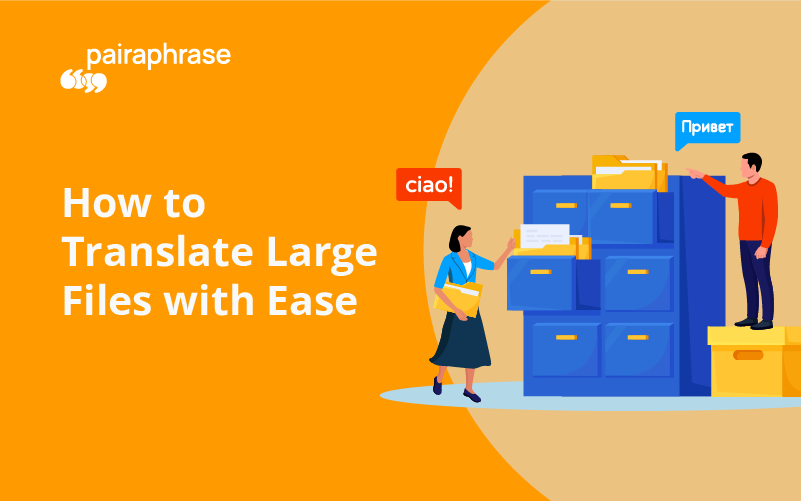
How to Translate Large Files with Ease
Translating large files online is oftentimes challenging. Especially when you’re trying to find language translation software that translates files larger...
Best Document Translation Software Features
Translating documents and want the best document translation software in 2026? This activity is a regular part of working with diverse...
See Pairaphrase Document Translation Software in Action
Translate multilingual documents with more control over upload, AI-assisted translation, review, reuse and final export. See how Pairaphrase supports secure file-based translation for your team.