


/PairaVoice-Start-A-Conversation-nobg-md.png?width=250&height=375&name=PairaVoice-Start-A-Conversation-nobg-md.png)











Automatic File Formatting for Document Translation
Preserve much of your document’s layout, structure, fonts, tables, images, and styling during AI-assisted translation and Machine Translation.


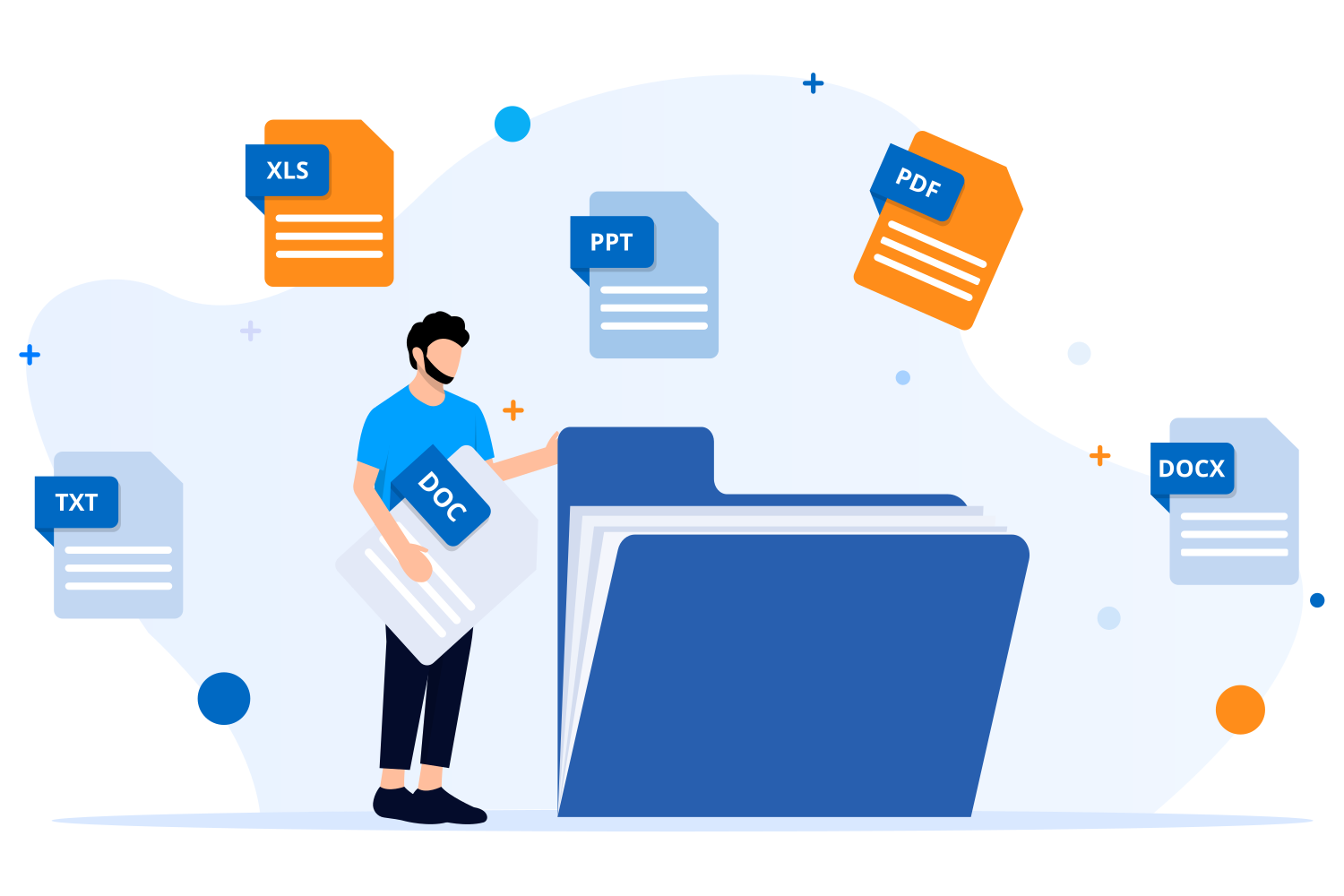
30+ supported file types • Layout and style preservation • Text expansion checks • Source and translation preview • Secure document workflows



Translate documents and keep their formatting
Standalone AI tools may translate the words while leaving your team to rebuild the document. Pairaphrase translates the content while keeping supported file formatting connected in a secure, document-first workflow.

Preserve the elements that make documents usable
Automatic File Formatting keeps translated content connected to the structural and visual elements of supported source files.

Preserve page structure
Keep headings, paragraphs, lists, columns, spacing, and other supported structural elements connected to the translated text.
Retain fonts and styling
Preserve font properties, emphasis, and inline styles where supported so the translated file remains visually consistent.
Keep tables and visuals
Maintain tables, images, charts, and embedded elements with the surrounding content through translation and export.
Rebuild supported outputs
Return translations in the original or a compatible file format where supported, reducing manual document reconstruction.How Automatic File Formatting works
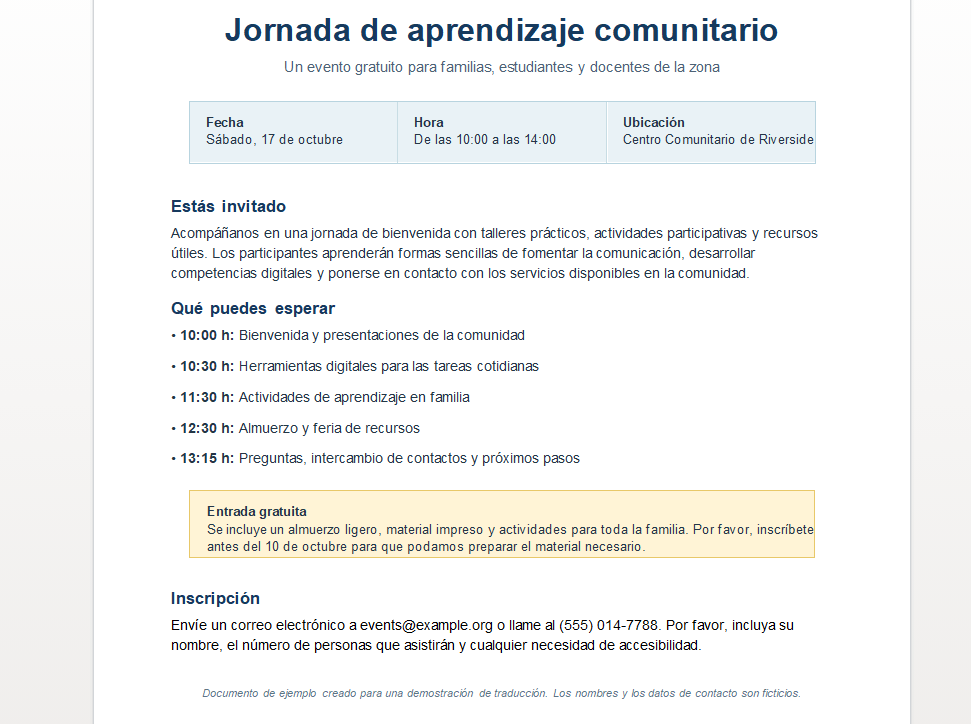
Pairaphrase processes supported file structure alongside the translatable text, reducing the need to rebuild documents after translation.
1. Read the source structure
Pairaphrase processes supported text blocks, styles, and embedded elements before translation begins.
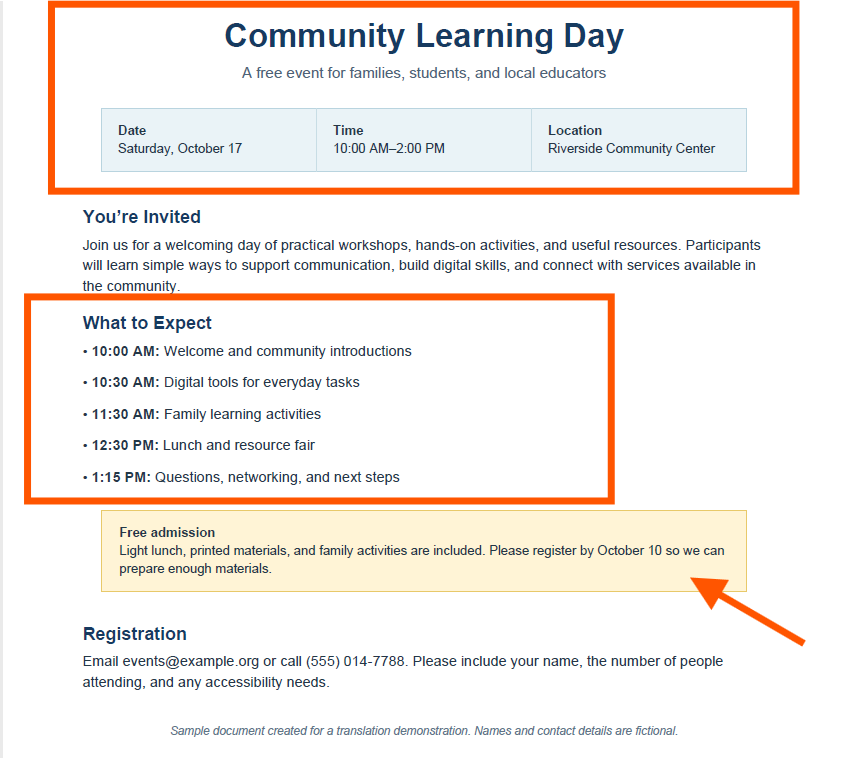
2. Translate within the file
AI or Machine Translation is applied while file structure remains connected to the translated content.
3. Rebuild and preview output
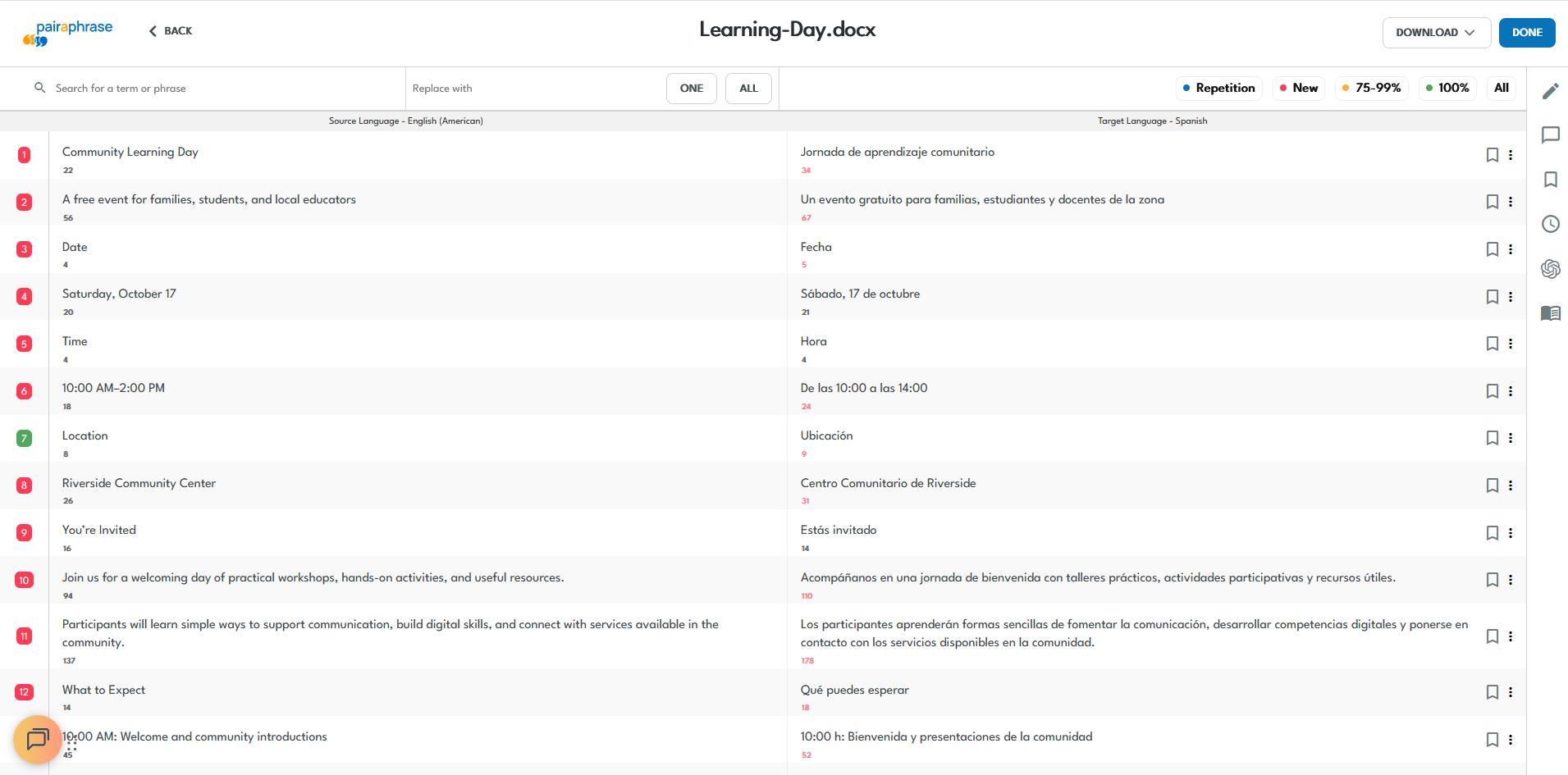
Pairaphrase reconstructs a supported output file so teams can review the layout before downloading.
Translate with leading engines while preserving supported formatting
Choose Google Translate, Microsoft Translator, DeepL, ChatGPT or PairaphraseGPT inside Pairaphrase. The engine translates your content while Pairaphrase keeps it connected to the supported file structure through export.



See Automatic File Formatting in a Pairaphrase workflow
Watch Pairaphrase translate a structured file, rebuild the supported layout, flag possible text expansion, and preview the formatted output before export.
Catch formatting risks before export
Translated text can expand, contract, or flow differently from the source. Pairaphrase provides checks that help teams identify layout problems before delivery.

Flag text expansion early
Compare source and target character counts. Differences above 10% appear in red, helping teams spot likely overflow.

Preview the translated file
Use the Translation Viewer to inspect layout, spacing, tables, and visual structure before downloading the file.

Fit translations into tight layouts
Use built-in AI actions to shorten translations for tables, forms, labels, subtitles, and other space-constrained files.
Review complex file layouts
Check text boxes, tables, alignment, and right-to-left output before delivering tightly designed files or forms.
Content where layout matters after translation
Some files depend on structure as much as wording. Automatic File Formatting reduces cleanup when translated content must remain usable and recognizable.

Forms and official documents
Keep fields, headings, tables, signature areas, and recurring disclosures aligned for review and distribution.
Manuals and technical materials
Preserve numbered steps, warnings, tables, diagrams, and structured instructions across translated versions.
Presentations and marketing assets
Maintain slide hierarchy, text placement, visual elements, and branded styling across multilingual materials.
Reports and internal documents
Retain headings, charts, tables, lists, and page structure across recurring organizational communications.Formatting needs vary by file type
Each format handles text flow, visual elements, styling, and export differently. Explore solutions for the files your organization translates most often.

PDF and scanned files
Balance editability and page-layout retention, and use OCR to prepare eligible scanned PDFs before translation.
Word document structure
Protect headings, paragraph styles, tables, and document flow while planning for text expansion and updated contents.
PowerPoint slide layouts
Review expanded text in fixed placeholders, charts, and slide designs before presenting or distributing the translation.
Excel sheets and cells
Keep worksheet structure connected while checking narrow cells, labels, and tables for expanded translated text.

InDesign IDML files
Translate clean IDML files with consistent styles, then check frames and pages for overset or displaced text.

Google Workspace files
Translate Docs, Sheets, and Slides through Pairaphrase’s Google Drive integration, then preview the resulting layout before delivery.
Automatic formatting vs. manual rebuilding
Basic AI and text translation tools can translate extracted content while leaving teams to reconstruct the final file or perform additional desktop publishing cleanup.
Pairaphrase keeps translation and supported file formatting connected in the same document workflow.
Organizations translating complex, structured files
These organizations use Pairaphrase across technical, designed, and structured file formats. Automatic File Formatting helps reduce manual document work within translation workflows that deliver measurable time and cost savings.
Armtec
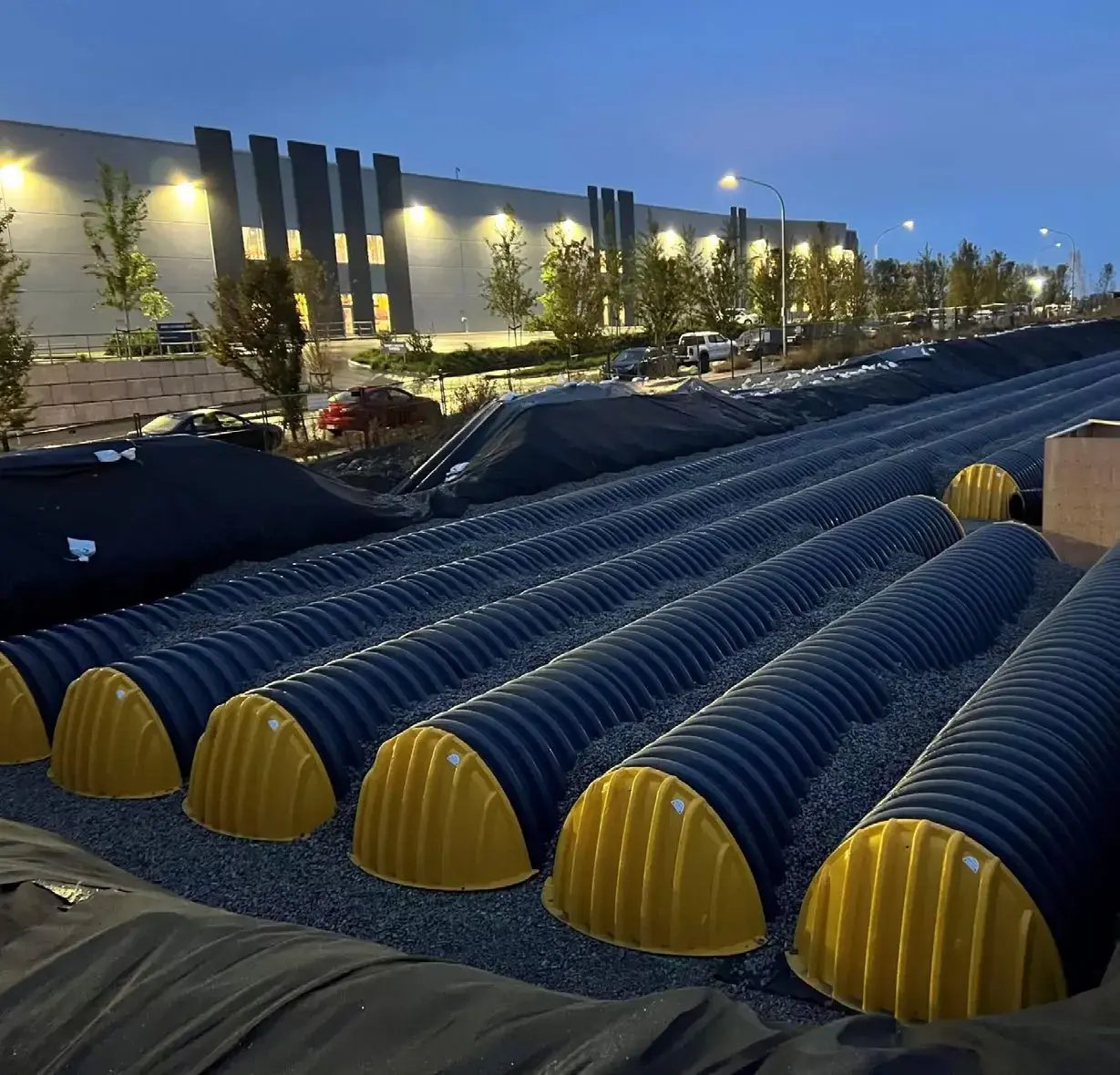
Infrastructure solutions manufacturer
Armtec translates DOCX and IDML technical documents without recurring file-formatting issues while processing 22,000 words monthly and saving $39,072 annually.

Carestream Dental
Dental technology company
Carestream Dental translates specialized JSON, XLIFF, and DOCX files while meeting technical and formatting standards and saving more than 300 hours annually.

Aquatrols
Turf water management company
Aquatrols translates IDML, PDF, and DOCX product, regulatory, and marketing materials while saving more than 2,000 hours and $45,000 annually.
Use Automatic File Formatting across the translation workflow
Automatic formatting works alongside Pairaphrase features for translating, reviewing, standardizing, reusing, and approving multilingual files.

Document Translation
Translate complete files while preserving supported layout and structure through final export.

Translation Editor
Review translated segments and adjust text that affects spacing or layout before download.

AI Translation
Apply AI or Machine Translation while keeping content connected to the supported file structure.

Translation Memory
Reuse approved translations without separating recurring content from its document workflow.

Terminology Management
Apply approved terms while preserving supported formatting across recurring multilingual files.

Collaborative Translation
Give authorized reviewers access to files that need language and layout verification before delivery.

Integrations
Connect document workflows with Google Drive, Google Workspace, Canva, Slack, ClassLink and Okta.
Protect files throughout translation and formatting
Keep structured documents within a secure, governed translation environment instead of moving files between disconnected translation, editing, and formatting tools.

Secure file handling
Translate and review supported files within Pairaphrase without relying on unsecured copy-and-paste workflows.
Controlled access
Use roles, groups, and permissions to control who can access, translate, review, and manage files.
Governed review
Keep translated content, reviewer activity, and document output connected within the same controlled workflow.
Compliance-aligned workflows
Support organizational privacy and compliance efforts for sensitive multilingual documents, including HIPAA- and FERPA-aligned workflows.
Reduce Post-Translation Formatting Work with Pairaphrase
Preserve more of the layout and structure your organization depends on across documents, presentations, spreadsheets, and designed files.