


/PairaVoice-Start-A-Conversation-nobg-md.png?width=200&height=300&name=PairaVoice-Start-A-Conversation-nobg-md.png)





















Excel Translation Software for Secure Workflows
Pairaphrase helps organizations securely translate and manage Microsoft Excel files with AI-assisted translation, formatting preservation, Translation Memory, terminology control and human review.



XLSX support • Worksheet + cell formatting • Translation Memory • Glossaries • Hybrid AI + human review • Governed AI • Easy-to-use platform • 30+ file types supported
































Translate Excel files without rebuilding your workbook
Translate XLSX files in Pairaphrase while keeping workbook structure and translated content connected from upload through export.

XLSX file support
Translate Microsoft Excel XLSX files and export the completed translation back into the supported spreadsheet format.

Automatic File Formatting
Help retain worksheet structure, cells, tables, fonts, charts, and other supported spreadsheet formatting.

Translation Viewer
Preview the translated Excel file before download to check sheets, cell fit, tables, readability, and workbook structure.

Recurring workbook workflows
Reuse approved terminology and translations across future Excel files instead of starting from scratch.

Why Excel spreadsheet translation gets complicated
Excel workbooks combine translatable text with structured cells, worksheets, tables, and data. Language expansion and spreadsheet structure can all affect how a translated XLSX file looks and functions after translation.

Cells and column widths
Translated text may expand inside cells, making narrow columns, wrapped text, and fixed-width areas important to review.

Worksheets and tabs
Multi-sheet workbooks depend on worksheet organization, so translated content should remain connected to the correct sheet and context.

Tables and structured ranges
Tables combine labels, headers and values in fixed structures, making expanded text and narrow columns common review points.

Merged cells and wrapped text
Merged cells and wrapped text can behave differently when translated copy grows, especially in dense or formatted worksheets.

Formulas and references
Formula-heavy workbooks combine translatable labels with calculated content, so formulas and references should be checked after export.

Preserve worksheet structure
Keep supported sheet structure, rows, columns and cell placement connected while translating workbook text.

Maintain tables and visual elements
Keep supported tables, charts, images, and other spreadsheet elements connected to the translated Excel file.

Preserve cell styling
Retain supported fonts, alignment, spacing, and cell styling while reducing the need to rebuild spreadsheet formatting.

Review language expansion
Check narrow cells, wrapped text, and table labels where translated content becomes longer or shorter.
Generic AI tools vs. Pairaphrase for Excel translation
Generic AI can translate spreadsheet content, but recurring XLSX workflows often need more control than copying cells into a standalone prompt or chat.
Choose how you translate your Excel spreadsheets
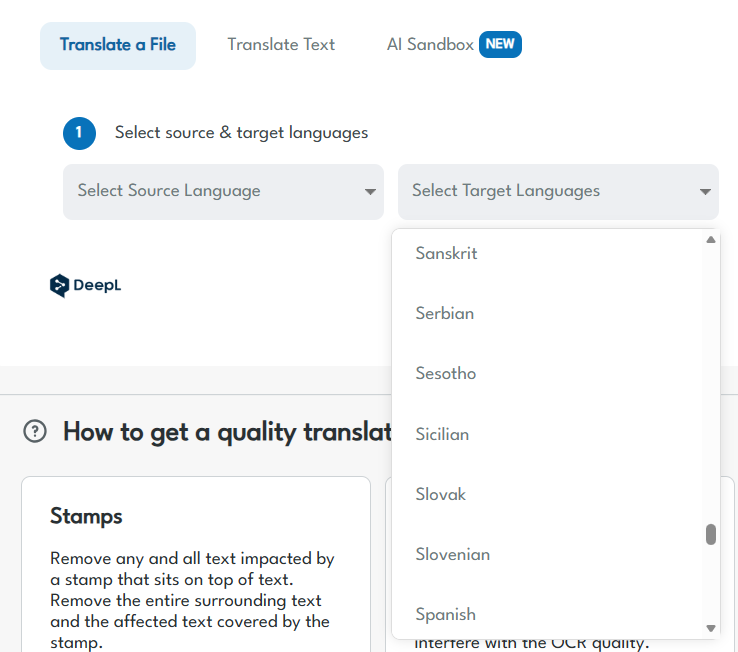
Pairaphrase gives teams access to multiple AI and Machine Translation engines for XLSX translation, so you can select the option that fits your language pair, content, and workflow.

ChatGPT
Use ChatGPT for AI-assisted Excel spreadsheet translation and alternate translation suggestions.

PairaphraseGPT
Use Pairaphrase’s translation-focused AI with Translation Memory, glossaries, and model customization.

DeepL, Google + Microsoft
Choose established Machine Translation engines based on language coverage and project requirements.
Stop retranslating recurring Excel spreadsheet content
Recurring Excel workbooks often contain labels, instructions, and phrases your organization has already translated. Pairaphrase helps reuse that approved work across future XLSX projects.

Translation Memory
Reuse approved translations when matching labels, sentences, and phrases appear in future Excel spreadsheet projects.

Glossaries
Apply approved product names, field labels, technical terms, and organization-specific terminology.

Collaborative Translation
Let reviewers improve translated workbook text while keeping approved edits connected to future translation work.
How Excel spreadsheet translation works in Pairaphrase
1. Upload your XLSX file
Add a Microsoft Excel workbook or related XLSX files to a Pairaphrase translation project.
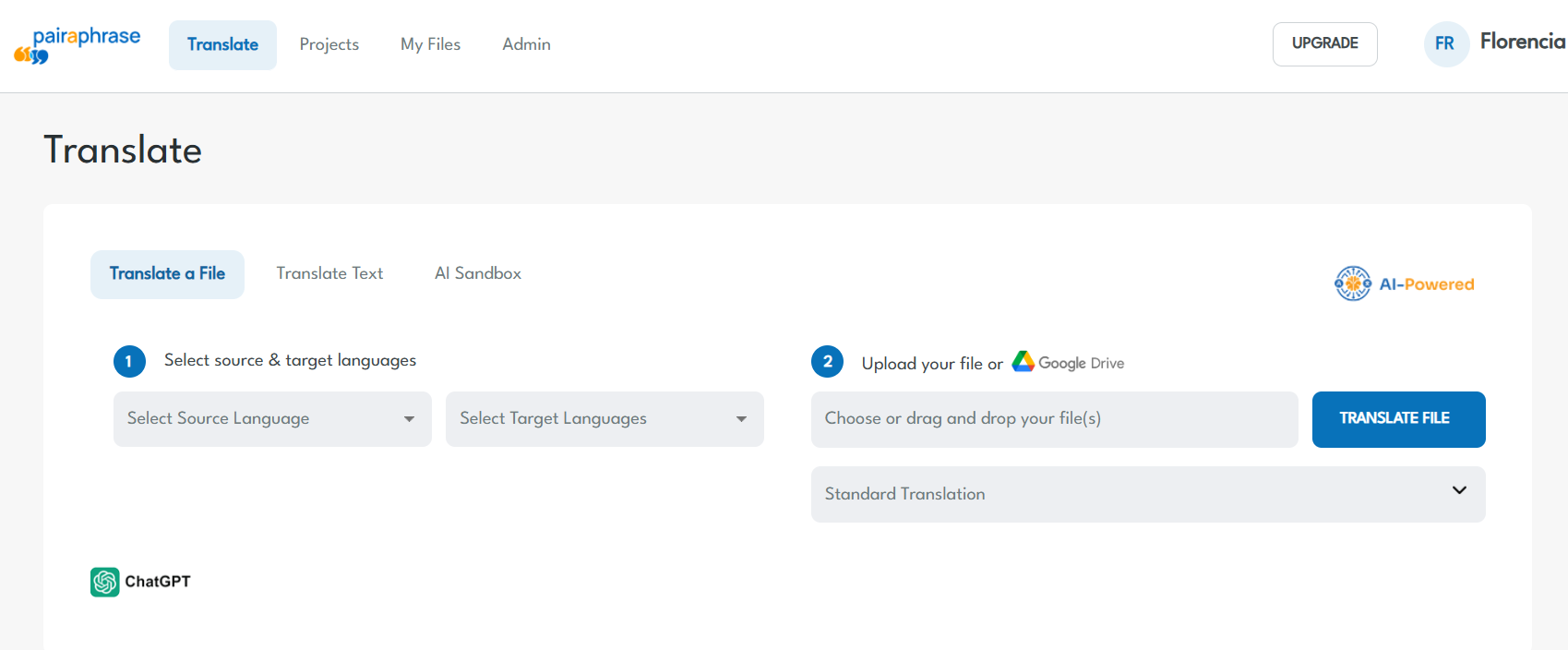
2. Make selections
Select your languages and supported AI or Machine Translation option for the spreadsheet.
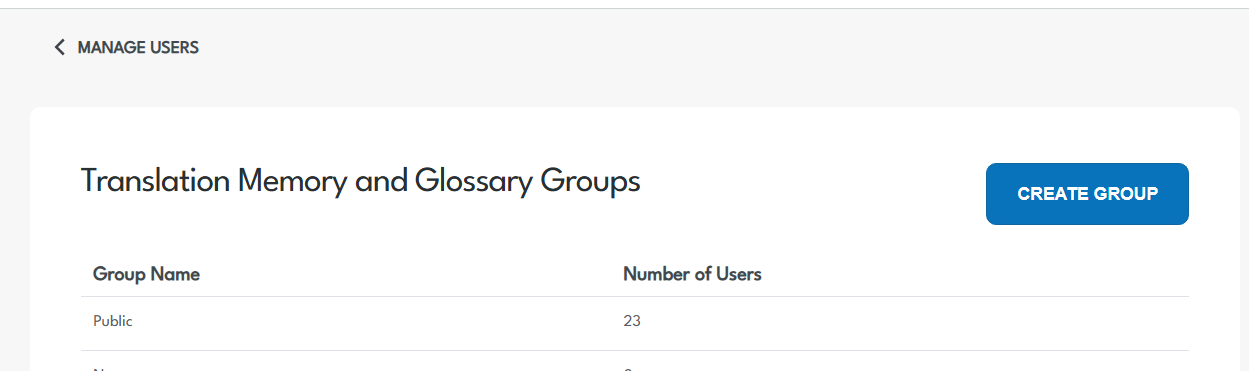
3. Apply translation assets
Use Translation Memory and glossaries to reinforce approved language and recurring content.
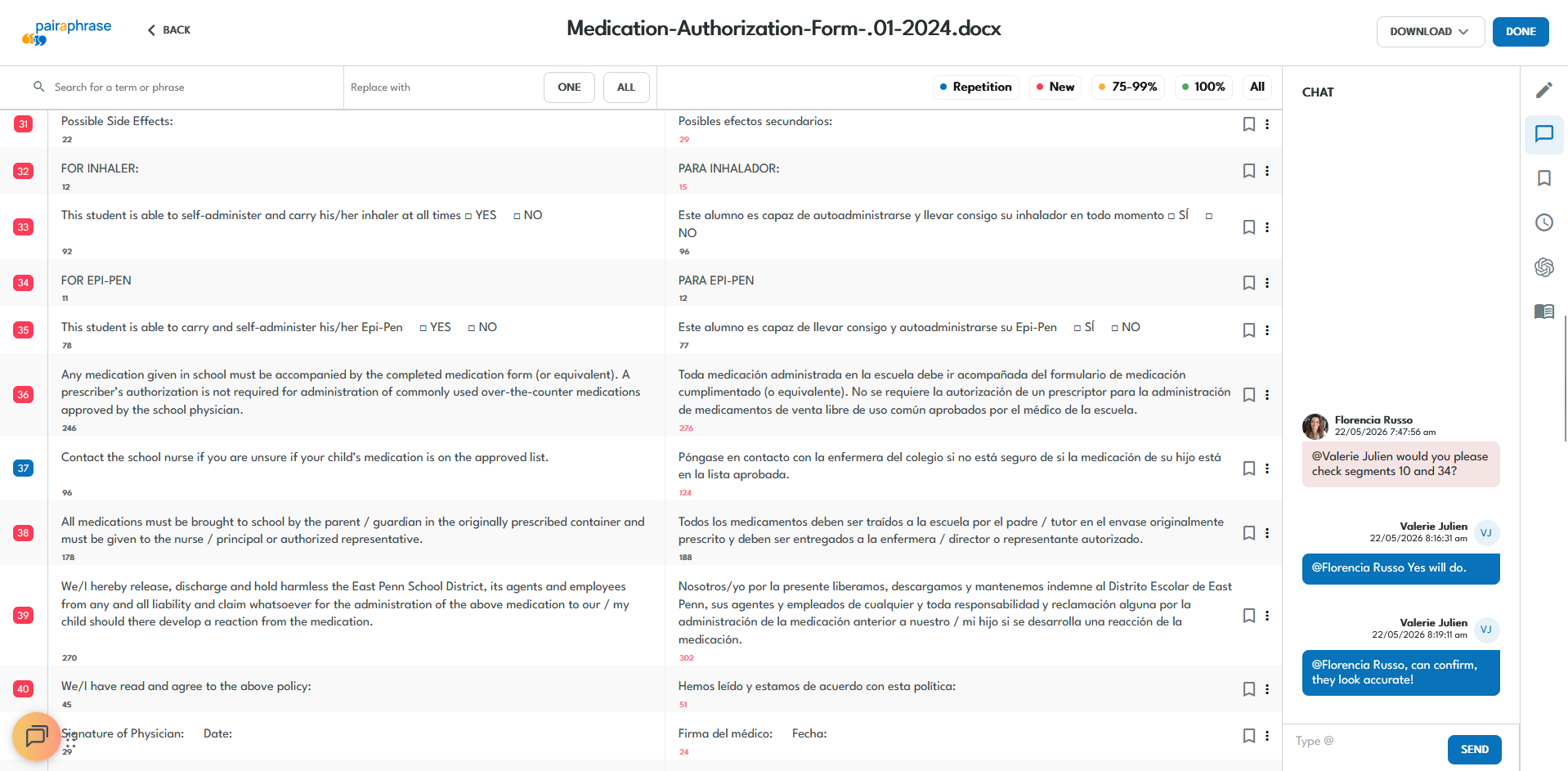
4. Review with your team
Give authorized reviewers access to verify meaning, terminology and translated spreadsheet content.
5. Preview and export
Check the translated Excel workbook and supported formatting before exporting the XLSX file.
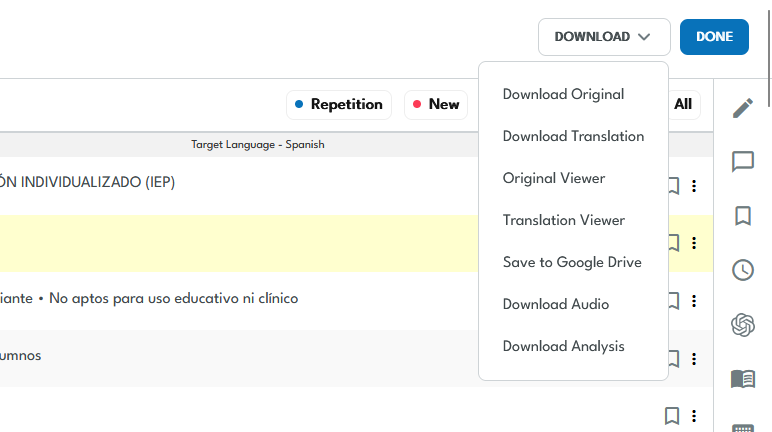

See Excel spreadsheet translation in Pairaphrase
See how Pairaphrase handles a real Microsoft Excel workbook inside the platform.
What teams translate in Microsoft Excel

Product Catalogs and Price Sheets
Localize product names, descriptions, labels, pricing details, and recurring spreadsheet content for multilingual markets and teams.

Financial and Operational Reports
Keep workbook labels, notes, and reporting content understandable across languages while protecting sensitive information in controlled workflows.

Data Collection and Survey Files
Prepare questionnaires, field labels, response guidance, and structured spreadsheet content for multilingual users.

Training and Planning Spreadsheets
Support global teams with multilingual schedules, planning tools, training trackers, and recurring internal spreadsheets.

Inventory and Logistics Workbooks
Translate item descriptions, operational labels, and supply-chain content while maintaining consistent terminology.

Education and Administrative Files
Adapt school spreadsheets, administrative trackers, schedules, and structured materials for multilingual communities.
Keep human review connected to AI translation
Bring the right people into the Excel translation workflow when spreadsheet content requires human verification or approval. Review translated segments in the Translation Editor while keeping reviewer activity connected to the project.

Internal Reviewers
Give authorized employees access when Excel translations require subject-matter, terminology, or internal review.

External Linguists
Bring approved language professionals into the workflow when specialized translation review is needed.

Reusable Reviewer Edits
Save approved translation changes so future Excel spreadsheets can benefit from previous review work.
Manage sensitive Excel spreadsheet translation with more control
Excel workbooks can contain confidential financial, employee, operational, customer, and regulated data. Pairaphrase keeps XLSX translation inside a secure, governed workflow with encrypted file handling, controlled access, private translation assets, and human review.


Controlled Access
Manage who can access translation projects, Excel files, and organization translation resources.

Activity Visibility
Maintain visibility into translation, editing, and reviewer activity through supported workflow controls.

Private Translation Assets
Control access to Translation Memories, glossaries, and reusable organization-specific language.

Security and Compliance
Support sensitive XLSX workflows with encrypted data handling, access controls, and compliance-aligned workflows for regulated content.
Outcomes from real Excel and document translation workflows
See how organizations use Pairaphrase to manage XLSX and other structured file translation at scale.

Centennial Schools
Centennial Schools uses XLSX alongside other document formats for recurring multilingual communication, formatting preservation, and collaborative review.
- 63% lower translation cost per word
- $120,000 saved annually on DOC, PDF and XLSX translation
- 1,000+ hours saved annually
- 100,000 words translated per month

Joseph Business School
Joseph Business School used Excel alongside Word, PDF, and PowerPoint to translate a complete multilingual academic curriculum with an internal review workflow.
- 75,000+ words translated per month
- 1,000+ hours saved annually
- Full curriculum completed in under two months
- Team proficient in the platform in under one week

Carestream Dental
Carestream Dental demonstrates how Pairaphrase supports recurring structured-file translation with internal subject-matter review and formatting requirements.
- 80% lower translation cost
- $13,900 saved annually
- 300+ hours saved annually
- Technical files reviewed and finalized internally

Choose the right Excel translation workflow
Pairaphrase is designed for organizations with ongoing Excel translation needs. For occasional XLSX translation, a lighter-weight option may be enough.
For recurring spreadsheets, Pairaphrase provides the translation management capabilities needed to build on previous work and manage translation across teams and projects.

See How Pairaphrase Fits Your Excel Spreadsheet Workflow
Bring us your XLSX files and translation requirements. We’ll show you how Pairaphrase fits your Excel spreadsheet workflow.