










 ChatGPT
 Google AI
 Perplexity
 Claude
 Grok
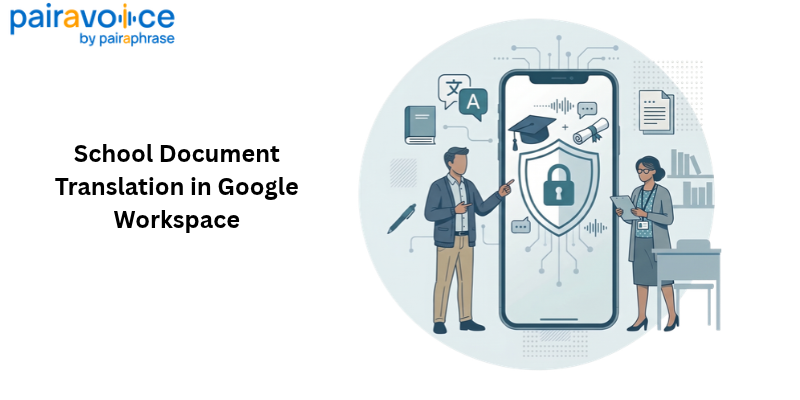
School districts use Google Docs, Sheets, and Slides to create and manage a wide range of materials, including parent communications, enrollment instructions, and schedules. When different departments translate and update these materials, they can end up repeating work, using inconsistent terminology, and spending more time coordinating review before sharing information with families.
Pairaphrase is secure, document-first AI translation management software. Its Google Workspace integration lets school teams translate selected text or supported content across Google Docs, Sheets, and Slides without switching to a separate translation workspace. Translation Memory and glossaries help teams reuse reviewed wording and keep district terminology consistent, while staff remain responsible for checking the final translations.
Why school districts need a repeatable Google Workspace translation workflow
School communication is rarely a one-time task. Welcome letters change when schedules or office hours change, enrollment instructions recur each year, and multiple departments use the same program names. Without a common workflow, teams can end up retranslating the same language or using inconsistent terms.
A managed workflow goes beyond producing one translated file. Districts should consider who can access translation resources, how revised language is reused across materials, and who reviews the final message. The Google Workspace integration is one way to bring those steps closer to the documents staff already use.
How to manage school document translation in Google Workspace
To manage school document translation in Google Workspace, districts can prepare the source material, translate the content they need, use consistent terminology, and review each result before sharing it with families.
Consider a district updating multilingual resources across Google Docs, Sheets, and Slides. Different school teams may work in different file types, but their materials often refer to the same programs, enrollment steps, and student services. A repeatable process helps keep the language consistent across those files.
1. Prepare and verify the source materials
The team checks dates, instructions, and program names in the source materials, identifies any approved terminology, and decides who will review the translated versions when necessary.
2. Translate selected text or a supported full file
Using Pairaphrase within Google Workspace, staff choose the source and target languages and an available translation engine, then translate selected text or supported content across the full file. When only one passage changes, translating the revised text can avoid reprocessing the entire document. Pairaphrase documents both options.
3. Apply consistent translations and terminology
The district's Translation Memory helps reuse reviewed phrases, while glossaries help keep terms such as “English Language Development” and “student services” consistent wherever they appear. Staff compare the translated wording with the district's preferred language.
4. Review each document before distribution
Before sharing, a reviewer checks meaning, terminology, names, dates, and links, as well as the readability and structure of the final file. Sensitive or high-stakes communications may require qualified human translation or additional review.
User interface screenshot showing Pairaphrase for Google Workspace in use
Translate school documents across Google Docs, Sheets, and Slides
Pairaphrase works with supported content in Google Docs, Sheets, and Slides, regardless of which app a district uses for a particular document. Staff can translate a revised passage or supported content across a full file, depending on the task.
Pairaphrase helps preserve document formatting, but the finished file still needs to be checked in context. That may mean reviewing document links and structure, spreadsheet labels and formulas, or presentation layout and readability. Translating from within Google Workspace keeps the work closer to the files staff need to share.
Google's built-in translation vs. a managed district workflow
Not every school translation task requires a dedicated workflow. The right approach depends on how often staff translate materials, how many departments are involved, and whether they need consistent wording and review across documents.
For occasional translation needs
If a staff member only needs to translate a passage or create a translated copy for a one-time task, Google's built-in translation options may be enough. But these tools alone do not establish a shared district process for reusing approved language or coordinating review.
When Pairaphrase adds value
For districts that translate materials regularly, the challenge extends beyond one file. Different schools and departments need consistent program terminology, reusable translated wording, and an appropriate review process. Pairaphrase is also a Translation Management System (TMS), meaning it helps teams manage ongoing document translation rather than just produce one-off results. While the Google Workspace integration makes translation available inside Docs, Sheets, and Slides, the broader Pairaphrase platform supports governed workflows through controlled collaboration, permissions, Translation Memory, glossaries, and human review. District teams can apply their own review and approval requirements before distributing translated materials.
Keep school document translations consistent across departments
Translation Memory stores previously translated wording for reuse. When multiple school offices include the same instructions in family communications, teams can draw on reviewed translations rather than repeatedly translating that language or introducing unnecessary variations.
Glossaries help districts establish preferred translations for program names, department titles, and other recurring terms. That matters when communications, enrollment, and student-services teams prepare related materials independently but need to refer to the same services consistently.
When evaluating a district-wide approach, consider how preferred terminology is maintained, who can reuse it, and how updates are reviewed. Pairaphrase's Translation Memory and glossaries support that work; the available controls depend on the district's setup. See the Google Workspace terminology guidance for details.
How to review translated school documents before sharing
For Arabic and other right-to-left languages, use the integration's right-to-left layout setting as needed, then check reading order, alignment, and mixed-language text, especially in tables and slides.
Schools must communicate important information meaningfully to parents with limited English proficiency, as explained in U.S. Department of Education guidance. When translating student records, districts should also consider FERPA requirements for third-party services and use qualified human review where appropriate.
Before sharing, confirm:
- Access: the right people can open the final file and its distribution follows district policy.
- Accuracy: a reviewer has checked meaning, names, dates, and district terminology.
- Usability: links, labels, and formatting work in the final file.
- Approval: the correct version is cleared for distribution to families.
What school district translation outcomes can show
Pairaphrase's published Dayton Public Schools case study reports more than 1,000 hours saved annually on translation tasks and $95,000 saved per year on DOCX translations. These results reflect the broader Pairaphrase platform—not measured outcomes of the Google Workspace integration—but illustrate why districts evaluate repeatable document translation workflows. For a broader look at K–12 translation needs, see Pairaphrase's translation software for schools.
Evaluate Google Workspace translation for your district
If your district translates newsletters, enrollment instructions, schedules, or presentations across teams, compare your current process with a repeatable workflow: Which terms must stay consistent? How are revisions handled? Who reviews translations before families receive them? Use these questions to identify the capabilities your district needs.
Explore the Pairaphrase Google Workspace integration to learn how it supports school document translation in the tools your team already uses. Request a demo to discuss your district's multilingual communication needs and see how the integration could fit your current Google Workspace workflow.